Example 1. 5250 Emulation Over a TCP/IP Network
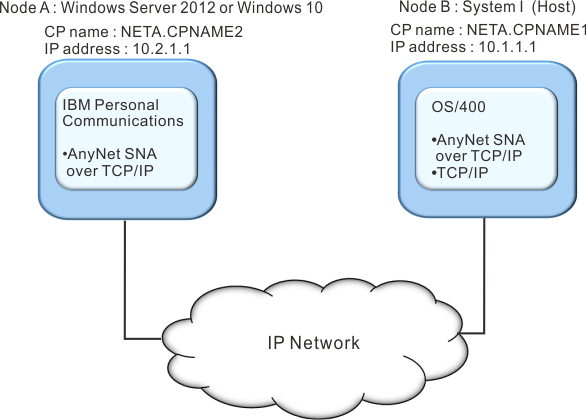
Follow these steps to establish communication between the Windows® 2008 workstation (Node A) and the iSeries™ host (Node B).
For Windows® 2008 Node A, do as follows:
- Add the following entries to the local HOSTS file:
10.1.1.1 CPNAME1.NETA.SNA.IBM.COM - Create a workstation profile using the Personal Communications configuration tool:
- Click the Start/Configure Session icon; or click Configure from the Communication menu. The Customize Communication window is displayed.
- Select the following options:
- Host: iSeries™
- Interface: AnyNet®
- Attachment: TCP/IP 5250
- Click Configure.
- Click Configure Link.
- On the Configure Local System window, enter:
PC Location Name:
NETA.CPNAME2On the Configure Logical Connection Windows®, enter:
System Location Name:
NETA.CPNAME1 - Save your workstation profile.
For iSeries™ Node B, add the following entry to the
local HOSTS file:
10.2.1.1 CPNAME2.NETA.SNA.IBM.COM