Start to build the handler by using EGL wizards and then
the Rich UI editor.
About this task
You can add widgets to a web page by dragging content
to the Design surface of the Rich UI editor. The drag-and-drop and
subsequent interaction with the editor updates the source code for
the Rich UI handler that you are developing.
Two sources of
drag-and-drop content are available:
A palette of widget types
The EGL Data view, which provides data-type definitions such as
EGL Record parts. You first drag content from this view and then choose
from among the widget types that can display the type of data you
selected.
By default, the widget palette is at the right of the
editor, and the Data view is at the lower left of the workbench.
In
this lesson, you create a Rich UI Handler and add a data grid to display
all rows in the database. Later, you will add a grid layout to display
the fields in a selected record.
Create the initial layout
About this task
To create the handler:
Procedure
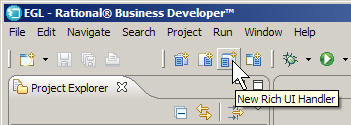
In the PaymentClient project, select
the EGLSource folder and click New > Rich UI Handler.
In the New Rich UI Handler part window,
enter the following information:
In the EGL source file name field,
enter the following name:
PaymentFileMaintenance
In the Package field, enter the
following name:
handlers
Click Finish.
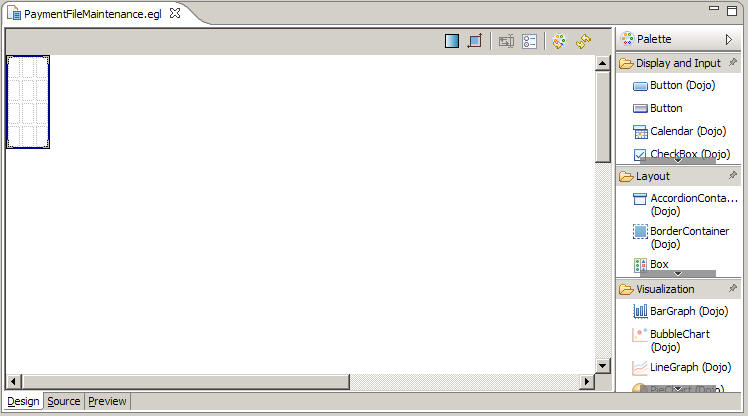
The new Handler opens in Design view in the Rich UI editor.
EGL creates the handlers package for you in
the EGLSource folder.
EGL automatically created a grid
layout as your initial UI. By default, this widget has four rows and
three columns. Compare this layout with the sketch in lesson 1, which
uses only four cells.
To reduce the size of the layout, click into it and go
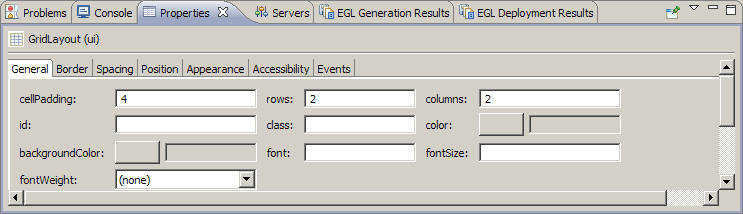
to the Properties view, which by default is one of several tabbed
pages below the editor pane. On the General page, set the rows property
to 2 and the columns property to 2, and then click the Design surface.
A later step demonstrates
a different way to change the number of rows and columns in a grid
layout.
The main layout of this Rich UI handler
now has a first row, where the handler will display two sets of buttons,
and a second row, where the handler will display the following content: on
the left, a list of records, and on the right, a layout for displaying
the details of one record.
Create a data grid to hold the content of a set of database
rows
About this task
Create a data grid by dragging a record array variable onto
the Rich UI editor.
Procedure
To create the data grid:
Create a record array variable.
The EGL Data view, which is located by default in the
lower left corner of the workbench, lists all of the primitive and
record variables for the handler that is currently open in the editor.
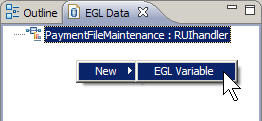
Right-click the empty space below the entry for the PaymentFileMaintenance file.
Click New > EGL Variable.
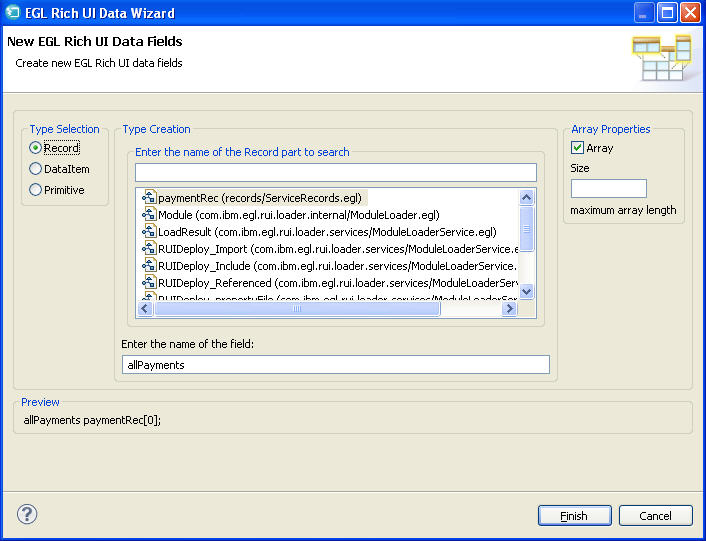
In the New EGL Rich UI Data Fields wizard,
request a new record variable based on the paymentRec record:
Make sure Type Selection is set to Record.
Select the paymentRec record. This record should
be the only one in the list.
In the Array Properties section, select
the Array check box. Leave the Size field
blank.
For Enter the name of the field, enter
the following name:
allPayments
Click Finish.
This process creates the following record
declaration in the source code for the handler:
allPayments paymentRec[0];
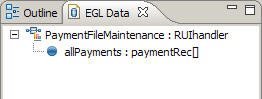
In
the EGL Data view is now a record variable that you can drag the variable
onto the editor.
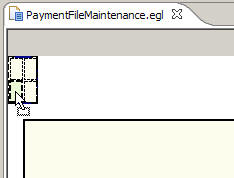
Drag the allPayments record variable
from the EGL Data view to the lower left cell of the layout.
EGL displays the Configure data widgets page of the Insert
Data wizard. Use this page to configure the widgets that
EGL creates. The widget types depend on the type of fields in the
record array that you dragged onto the Design surface.
Make the following changes in the Insert Data wizard:
Under Create Widgets for, leave
the default value of Read-only data.
The check boxes under the allPayments variable
indicate the fields that are to be used as columns in the display.
Clear all the fields by clicking None.
Check the following fields:
category
description
amount
Change the labels for those fields:
Change category to Type.
Change description to Description.
Change amount to Amount due.
The wizard uses these labels as column headers for the grid.
Clear Add support for formatting and validation.
Here are the completed settings:
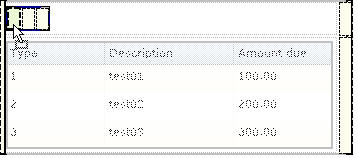
Click Finish. The empty grid
is displayed:
Click into the Properties view:
Ensure that the following title is displayed: DataGrid
(allPayments_ui). If not, click into the data grid, ensure
that the title is displayed, and click back to the Properties view.
On the General page, change the selectionMode property
to SINGLE. This property indicates that the
user can select only one row of the grid at a time.
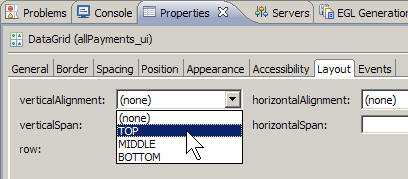
On the Layout page, change the verticalAlignment property
to TOP.This property ensures that the allPayments_ui
data grid will line up with the detail grid you will add later.
Click the Source tab at the bottom
of the editor to see the code that you already created. Take this
opportunity to reduce the width of two columns in the data grid. Specifically,
consider the DataGridColumn declarations for the category and amount columns
and change the width property from the default 120 pixels to 90 pixels.
Here is the data grid declaration after your change:
allPayments_ui DataGrid {
               layoutData = new GridLayoutData
                            {row = 2, column = 1
                             verticalAlignment = GridLayoutLib.VALIGN_TOP},
               columns =[
                  new DataGridColumn{name = "category",
                                     displayName = "Type",
                                     width = 90},
                  new DataGridColumn{name = "description",
                                     displayName = "Description",
                                     width = 120},
                  new DataGridColumn{name = "amount",
                                     displayName = "Amount due",
                                     width = 90}
               ],
               data = allPayments as any[],
               selectionMode = DataGridLib.SINGLE_SELECTION};
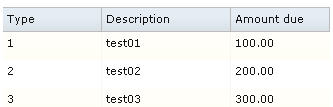
Add prototype data in the start function,
which is referenced in the onConstructionFunction property
of the handler and which runs before the user first accesses the web
page. Specifically, assign an array of records to the data property
of the data grid:
function start()
   allPayments_ui.data =
      [
         new paymentRec{category = 1, description = "test01", amount = 100.00},
         new paymentRec{category = 2, description = "test02", amount = 200.00},
         new paymentRec{category = 3, description = "test03", amount = 300.00}
      ];
	end
To format the file, click Ctrl-Shift-F.
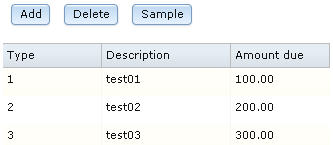
Click the Preview tab.
Save the file.
Add the first set of buttons
Procedure
To create the Add, Delete,
and Sample buttons on the Design surface:
Click the Design tab.
In the Palette view, go to the Layout drawer and find the
GridLayout widget type. Drag a new grid layout to the upper left corner
of the main layout. Assign the following name to the new widget:
buttonLayout
Click into the new layout, right click a cell, and notice
that you can insert or delete content by using the menu.
Click Delete > Row.
Click again into the new layout, right click a cell, and
click Delete > Row.
A single row remains, with three columns.
Create the Add button:
In the Palette view, go to the Display and Input drawer
and then to Button (Dojo). Drag a Dojo Button
widget to the leftmost cell of buttonLayout.
Assign the following name to the button:
addButton
Go to the Properties view:
On the General page, change the text property
to Add.
On the Events page, select the row for
the onClick event. A plus sign (+) is displayed
at the far right of the line. Click the plus sign and specify the
following name for a function that will be invoked when the user clicks
the Add button:
addRow
The Source view opens to display the addRow function.
Rather than complete the function now, finish laying out this section
of the web page. Click the Design tab to return to the Design surface.
Create the Delete button:
In the Palette view, go to the Display and Input drawer
and then to Button (Dojo). Drag a Dojo Button
widget to the middle cell of buttonLayout.
Assign the following name to the button:
deleteButton
Go the Properties view for the button:
On the General page, change the text property
to Delete.
On the Events page, assign the following
function name to the onClick event:
deleteRow
When the deleteRow function is displayed,
click the Design tab.
Using the same process as in previous steps, create a Dojo
button in the rightmost cell of buttonLayout. Name
the button sampleButton, change the text property
to Sample, and use the following name for the onClick function: sampleData.
The sampleData function is displayed.
Inspect the source code, noting the code that was provided
for each of the buttons.
Click the Preview tab.
Save the file.
Add a variable and layout to handle a single row
About this task
You previously created an array to hold the database rows.
You now declare a variable for a single row and then drag that variable
onto the Design surface to create a layout for displaying the row.
Procedure
To create the variable:
Click the Design tab to display the Design surface.
Right-click the background of the EGL Data view, which
is likely to be at the bottom left of the workbench. Click New > Variable.
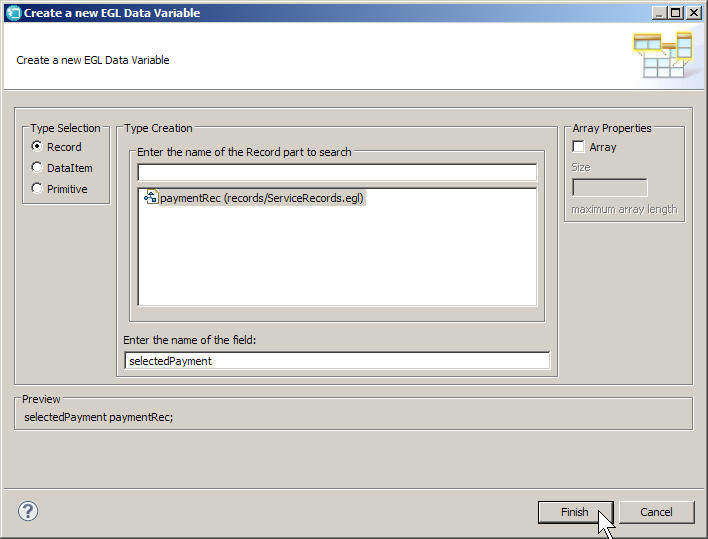
In the Create a new EGL Data Variable wizard,
request a new record variable based on the paymentRec record:
Make sure that Type Selection is
set to Record.
Select the paymentRec record.
In the Array Properties section,
make sure that the Array check box is cleared.
For Enter the name of the field,
enter the following name:
selectedPayment
Click Finish.
As noted in the Preview section of the page shown, the
following record declaration is created in the source code for the
handler:
selectedPayment paymentRec;
To create the grid layout:
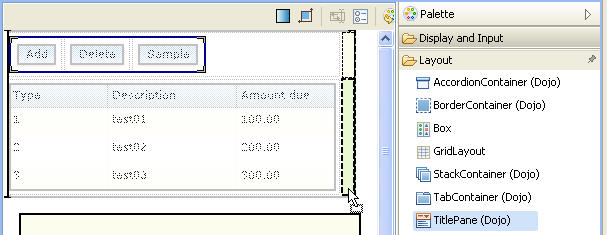
In the Palette view, go to the Layout drawer and find the
TitlePane (Dojo) widget type. Drag a new title pane to the lower right
cell of the main grid layout, next to the cell that holds the allPayments_ui grid.
Assign the following name to the title pane:
editPane
Click OK.
Make the following changes to the properties for the editPane widget:
On the General page, change the title property
to Payment record
On the Position page, change the width property
to 350. This value leaves room for error messages.
On the Layout page, change the verticalAlignment property
to TOP.
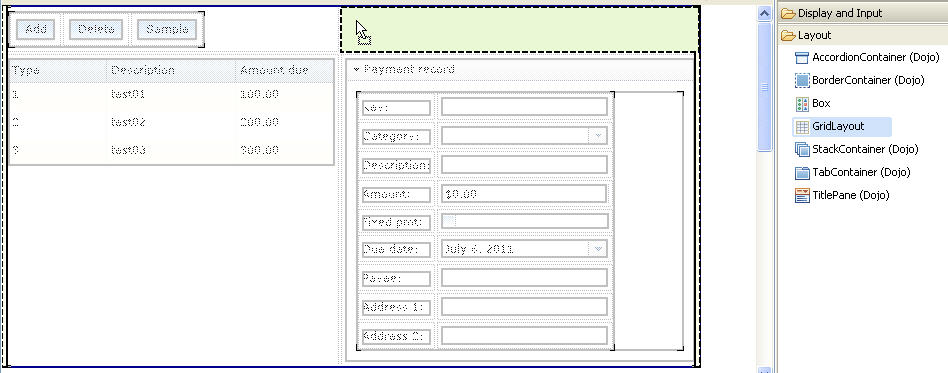
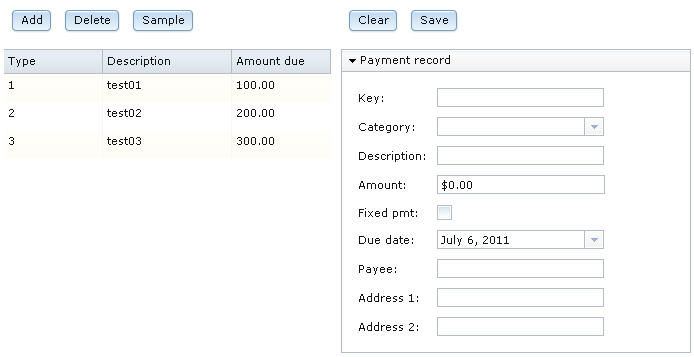
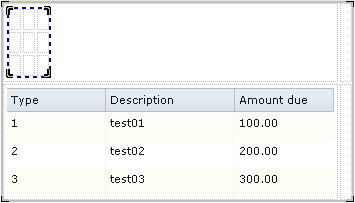
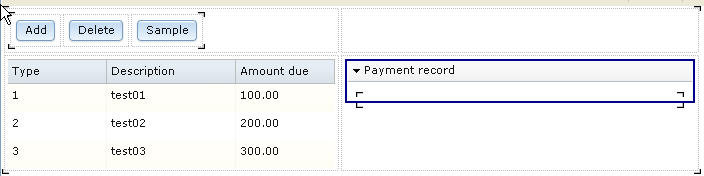
The web page should now look like the following image:
Save the file.
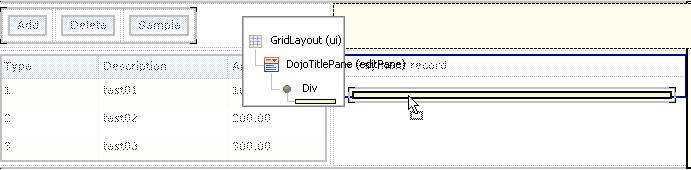
From the EGL Data view, drag the selectedPayment variable
to the bracketed area inside the payment record pane.
The Configure
data widgets wizard is displayed.
Make the following changes:
Under Create Widgets for, select Editable
data.
Make sure that the Widget Type for the selectedPayment
record is GridLayout.
Change the Label fields as shown
in the following table. These labels are used to identify the fields
in the display:
Table 1. Revised names for selectedPayment
fields
Default name
Revised name
paymentID
Key:
category
Category:
description
Description:
amount
Amount:
fixedPayment
Fixed pmt:
dueDate
Due date:
payeeName
Payee:
payeeAddress1
Address 1:
payeeAddress2
Address 2:
You must specify colons explicitly, as they are not added
automatically to labels.
For the category field, in the Widget
Type column, click DojoTextField. A down arrow
is displayed. Click the arrow, and then click DojoComboBox.
For the amount field, in the Widget
Type column, click DojoTextField. A down arrow
is displayed. Click the arrow, and then click DojoCurrencyTextBox.
This widget provides some basic formatting for currency.
Ensure that Add support for formatting and
validation is checked.
The selection creates
a Form Manager, which uses the EGL Rich UI Model-View-Controller (MVC)
framework to manage Rich UI validation and formatting.
Here are
the settings:
Click Finish.
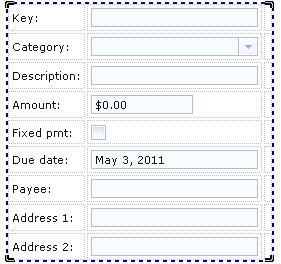
The new grid layout contains a form.
Note:
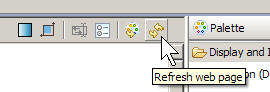
You
might need to click the Refresh button in the upper right corner of
the Rich UI editor to see this change:
Make the Key field read-only:
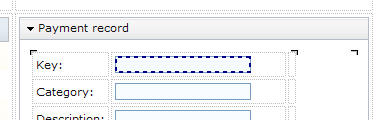
Repeatedly click the Dojo text field next to the Key
label until only that field is surrounded by a dotted line.
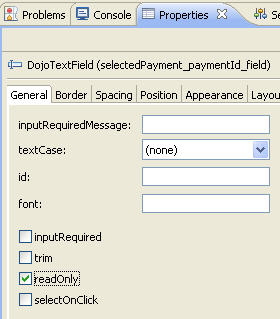
In the Properties view, General page,
select the readOnly check box.
For a more uniform appearance, do as follows:
Click the DojoCurrencyTextBox widget for Amount until
only that widget is surrounded by a dotted line.
On the Position page of the Properties
view, set the width property to 166.
Add the second set of buttons
Procedure
To add the Clear and Save buttons:
In the Palette view, go to the Layout drawer and find the
GridLayout widget type. Drag a new grid layout to the upper right
corner of the main layout and assign the following name:
detailButtonLayout
With the new layout selected, update the number of rows
and columns in whichever way you prefer: in the Properties view, or
by deleting the rows and columns, or by changing the source code.
In any case, ensure that the layout has 1 row and 2 columns.
At the Design surface, create the Clear button:
In the Palette view, go to the Display and Input drawer
and then to Button (Dojo). Drag a Dojo button
to the first cell of the new layout.
Using the same process as was used earlier, name the
button clearButton, change the text property
to Clear, and use the following name for the onClick function: clearAllFields.
The clearAllFields function is displayed.
Create the Save button:
Click the Design tab.
In the Palette view, go to the Display and Input drawer
and then to Button (Dojo). Drag a Dojo button
to the second cell of the new layout.
Name the button saveButton and change
the text property to Save.
On the Events page, select the onClick event
and click the down arrow in the second column to display the
available function names. Click selectedPayment_form_Submit,
which is a function that EGL created automatically when you dragged
the selectedPayment record variable onto the user
interface.
 EGL displays the Configure data widgets page of the Insert Data wizard. Use this page to configure the widgets that EGL creates. The widget types depend on the type of fields in the record array that you dragged onto the Design surface.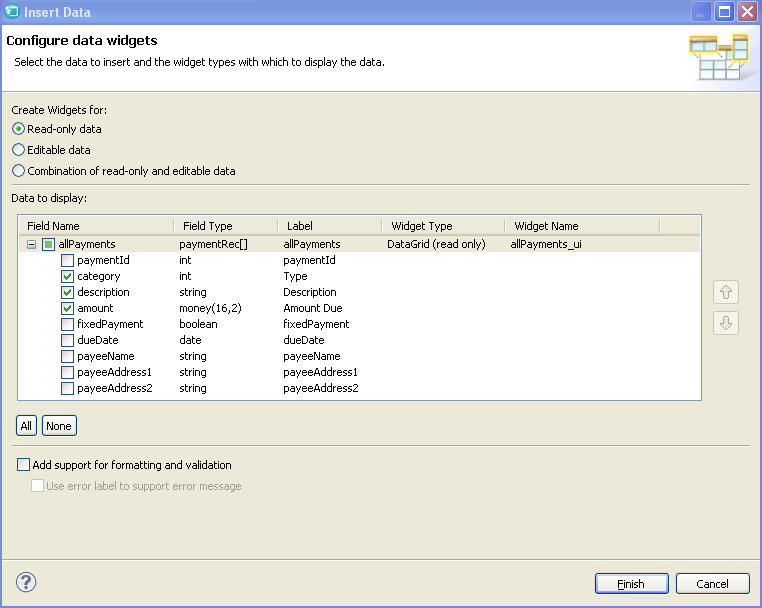

 The Configure data widgets wizard is displayed.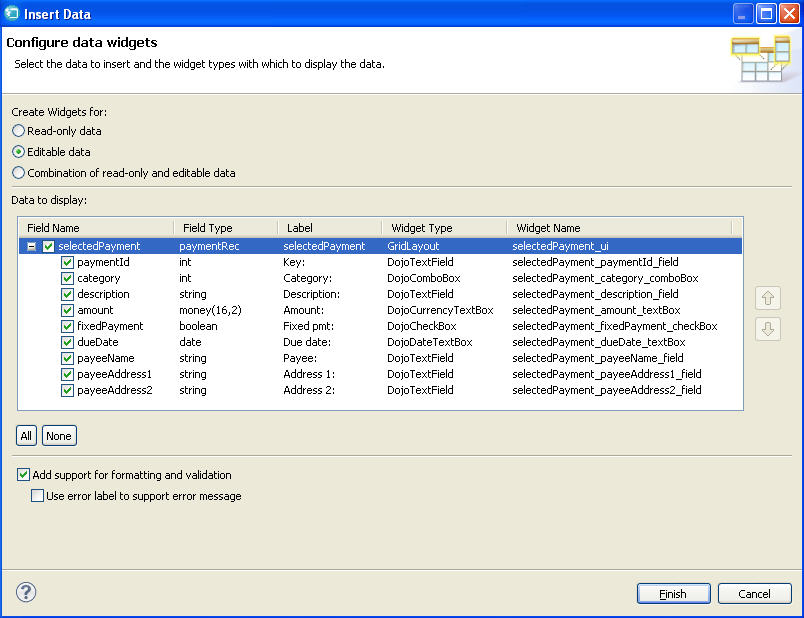
 Note:You might need to click the Refresh button in the upper right corner of the Rich UI editor to see this change: