Lesson 2: Set up the workspace
Before you write your logic, create two EGL projects and import the Dojo samples.
About this task
An EGL application is organized in one or more projects, each of which is a physical folder in the workspace. A project contains an EGL source folder that is provided for you, and that folder contains one or more packages, which in turn contain EGL source files. This hierarchy is basic to your work in EGL: a project, then an EGL source folder, then a package with EGL source files.
The EGL source files include EGL parts, which are type definitions that you create. For example, a Service part contains logic, and a Record part can be the basis of a variable that you declare in your Service part.
- A part name might be duplicated in two different packages, and any EGL source code can reference each part precisely. The main benefit of namespaces is that different teams can develop different EGL parts without causing name collisions.
- Each part name in a given package is unique within that package:
- A part in one package can easily reference another part in the
same package by specifying the part name. For example, here is a declaration
of a record that is based on the Record part
MyRecordPart:myRecord MyRecordPart{}; - A part in one package can also reference a part in a second package by giving the package name and part name, or by a shortcut that involves importing the part. This tutorial gives examples.
- A part in one package can easily reference another part in the
same package by specifying the part name. For example, here is a declaration
of a record that is based on the Record part
One project can reference the parts in a second project, but only if the EGL build path of the referencing project identifies the referenced project. Again, this tutorial gives examples. However, in all cases, avoid using the same package name in different projects, as that usage can cause problems in name resolution.
- MortgageServiceProject
- Holds an EGL Service part and related definitions
- MortgageUIProject
- Holds the Rich UI handlers and related definitions
You can include all your code in a single project, but the separation shown here lets you easily deploy the two kinds of code in different ways.
Create an EGL service project
Procedure
- If you are in a workbench perspective other than EGL, change
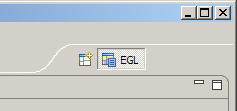
to the EGL perspective by clicking .The perspective icon is in the upper-right corner of the workbench.
- Click , or click the New
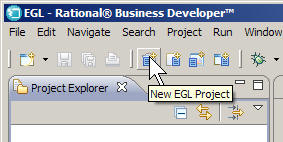
EGL Project icon on the menu bar.
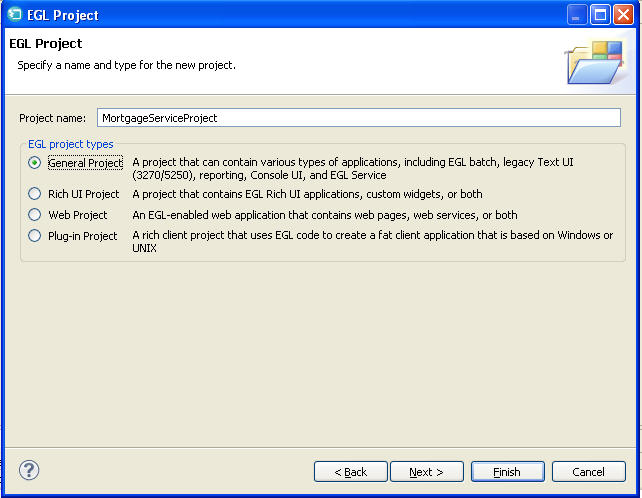
- In the EGL Project window, enter the
following information:
- In the EGL Project Types section,
click General Project.
- In the EGL Project Types section,
click General Project.
Results
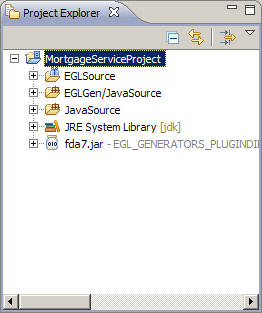
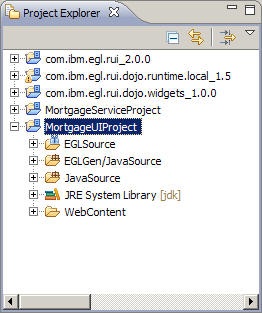
- EGLSource
- Put your packages and source files here.
- EGLGen/JavaSource
- EGL places the Java™ files it generates here.
- JavaSource
- Put any custom Java™ source files here. These files are not overwritten during the generation process.
- JRE System Library
- EGL uses this folder for JAR files that support the Java™ Runtime Environment.
Create an EGL Rich UI project
Procedure
- In the New EGL Project window, enter
the following information:
- In the EGL Project Types section,
click Rich UI Project.
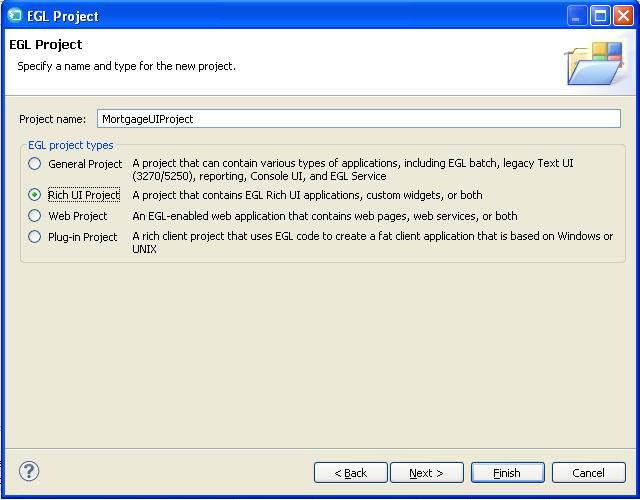
- In the EGL Project Types section,
click Rich UI Project.
Results
- WebContent
- Contains support files, such as cascading style sheets (CSS) and images.
Import the EGL Dojo widgets sample
Procedure
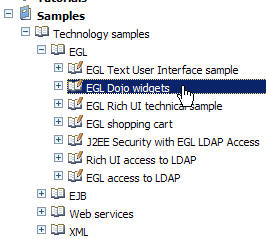
- In the Help contents, expand and click EGL Dojo widgets.
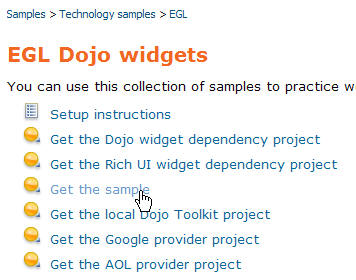
- In the Content pane, click Get the sample.
Results
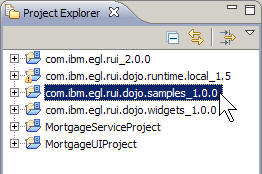
Change your build path for MortgageUIProject
Procedure
- Select the com.ibm.egl.dojo.samples project.
You do not need to select the com.ibm.egl.dojo.widgets project because it is already in the build path of the com.ibm.egl.dojo.runtime.local project. The finished build path window should look like the following image:
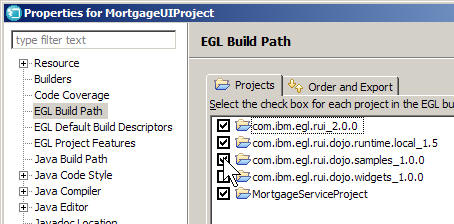 These selections mean that when you organize the import statements that provide other details to your programs, EGL will look in all of the selected projects to resolve references.
Lesson checkpoint
About this task
- Created an EGL project for the mortgage service
- Created an EGL project for the Rich UI application
- Imported the EGL Dojo samples project
- Adjusted the EGL build path for the second project
In the next lesson, you create a dedicated service to calculate a monthly mortgage payment.