SAR File Creation
This topic provides the information required for SAR file creation with respect to IBD. For more detailed information on SAR File creation, refer to the IBM manual for z/OS Connect EE.
- Start the IBM® Explorer for z/OS.
- Open the z/OS Connect Enterprise Edition perspective.
- Navigate to FileNew.
- Select the z/OSConnect EE Service Project wizard.
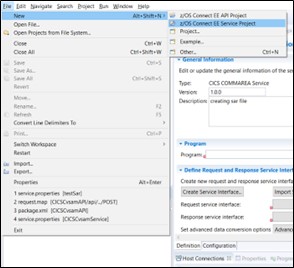
- The z/OSConnect EE Service Project window will appear.
- From the Project type drop-down field, select CICSCOMMAREA Service /
CICSCHANNEL Service as an interface between z/OS Connect and IBD. Note:This information should be provided during SAR file creation.
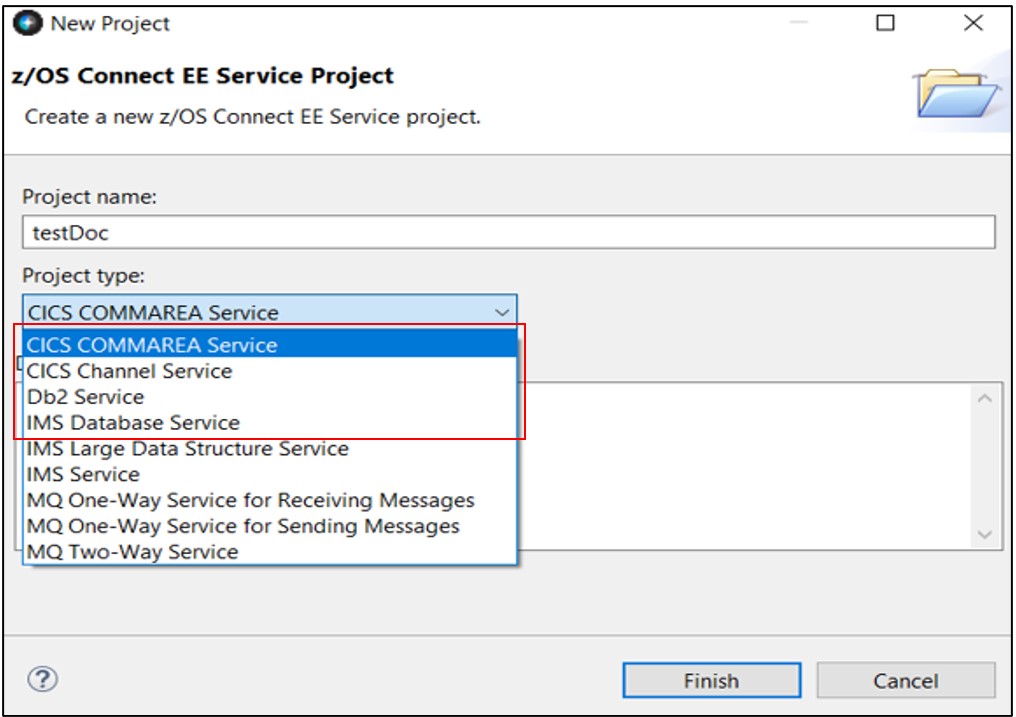
- Click Finish.
- The z/OS Connect EE Service Project Editor dialog opens.
- Add the program name (e.g., CLAIMCI0) to the Program input area, as shown.
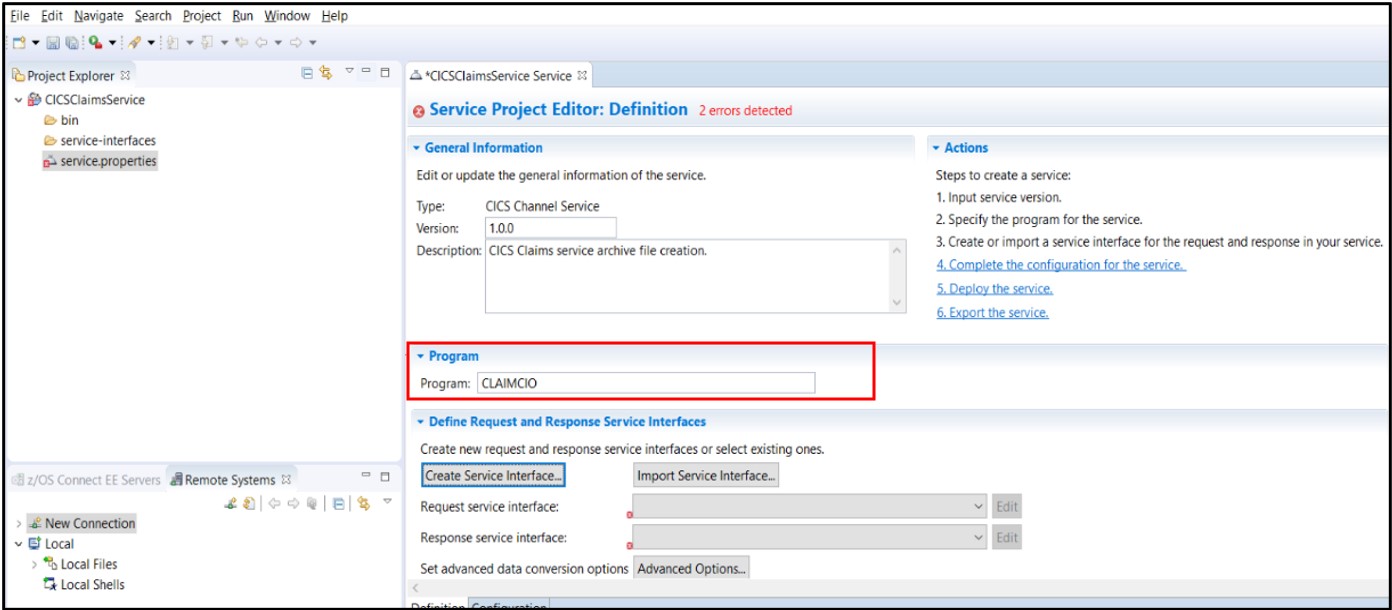
- Click the Configuration tab at the bottom of the screen.
- The Service Project Editor: Configuration window will appear.
- Add the Connection reference, e.g.: zconipic.
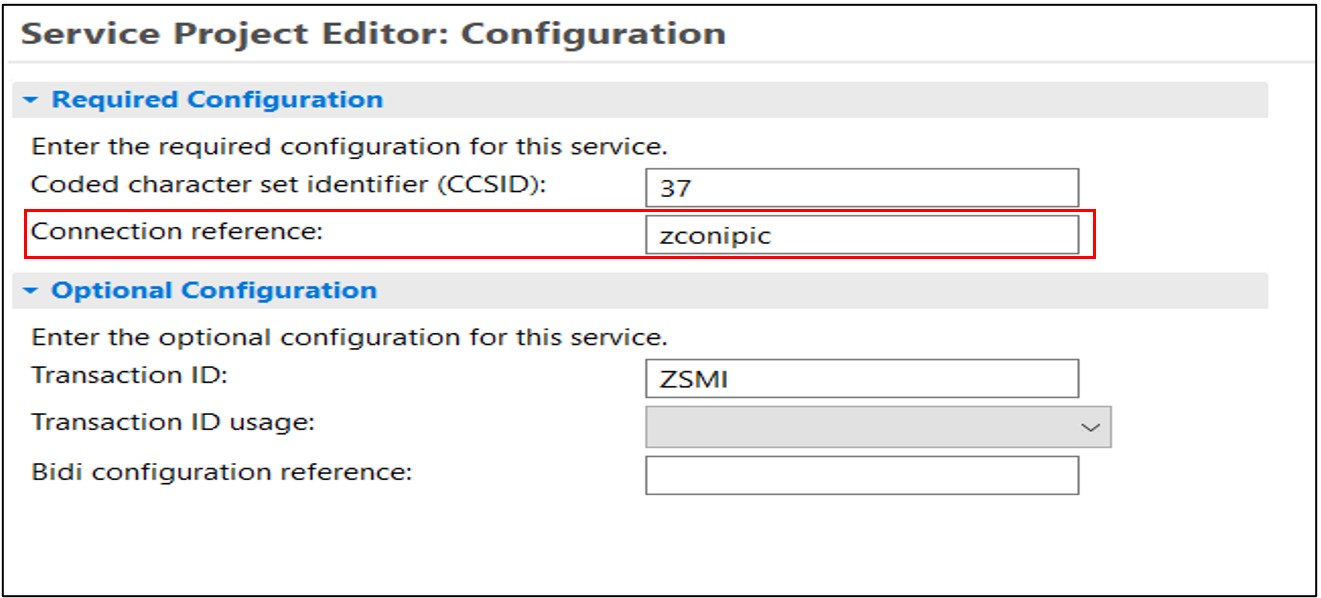
Here, connection reference (zconipic) is the ID used in the server.xml on the host side and the transaction ZSMI is a mirror transaction configured on the host side. ZSMI is a replica of the CSMI transaction, which CICS provides. We have to make a change in ZSMI to support IBD programs. TWASIZE should be defined as 1024.
Figure 1. ZSMI Transaction definition 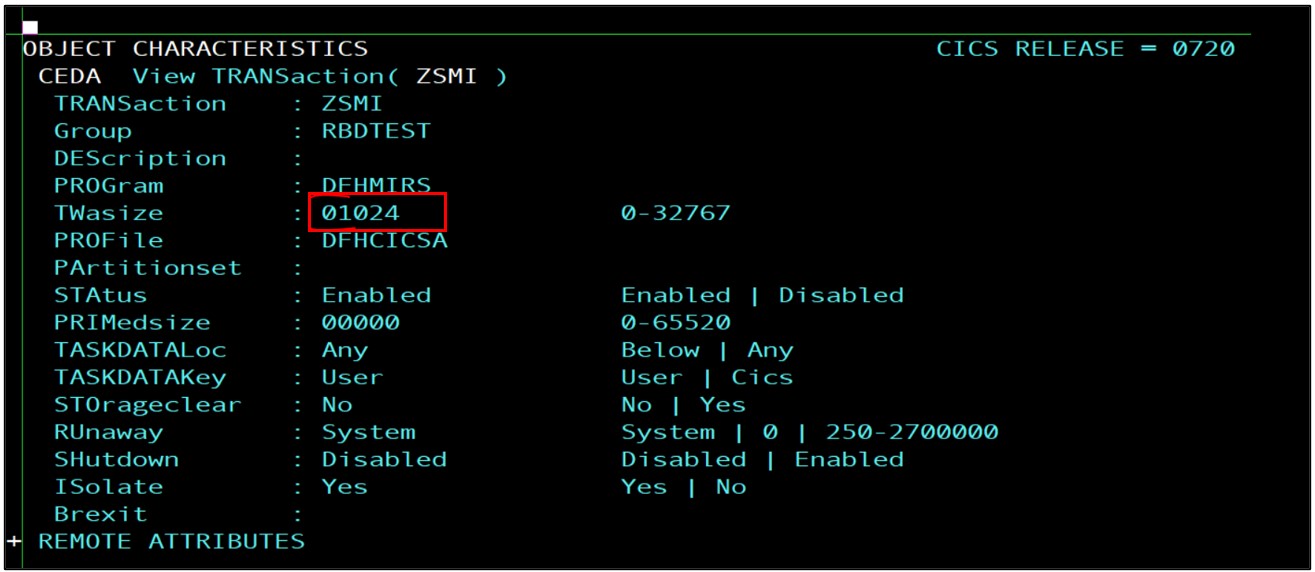
Figure 2. SERVER.XML at the host side configured liberty server 
The user must define the new TCPIP Service in the CICS region, the bridge between the host liberty server and the CICS region.
Along with the TCPIPS port in CICS, the z/OS Connect client workspace communicated with the z/OS Connect Liberty server through one port. This port should also be defined in SERVER.XML with the following annotation.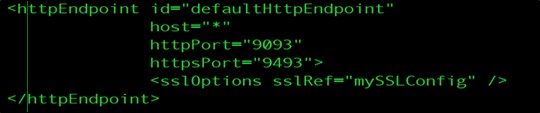
- Click the Definition tab at the bottom of the screen.
- Click Create Service Interface…
- Enter the Service interface name and click OK.
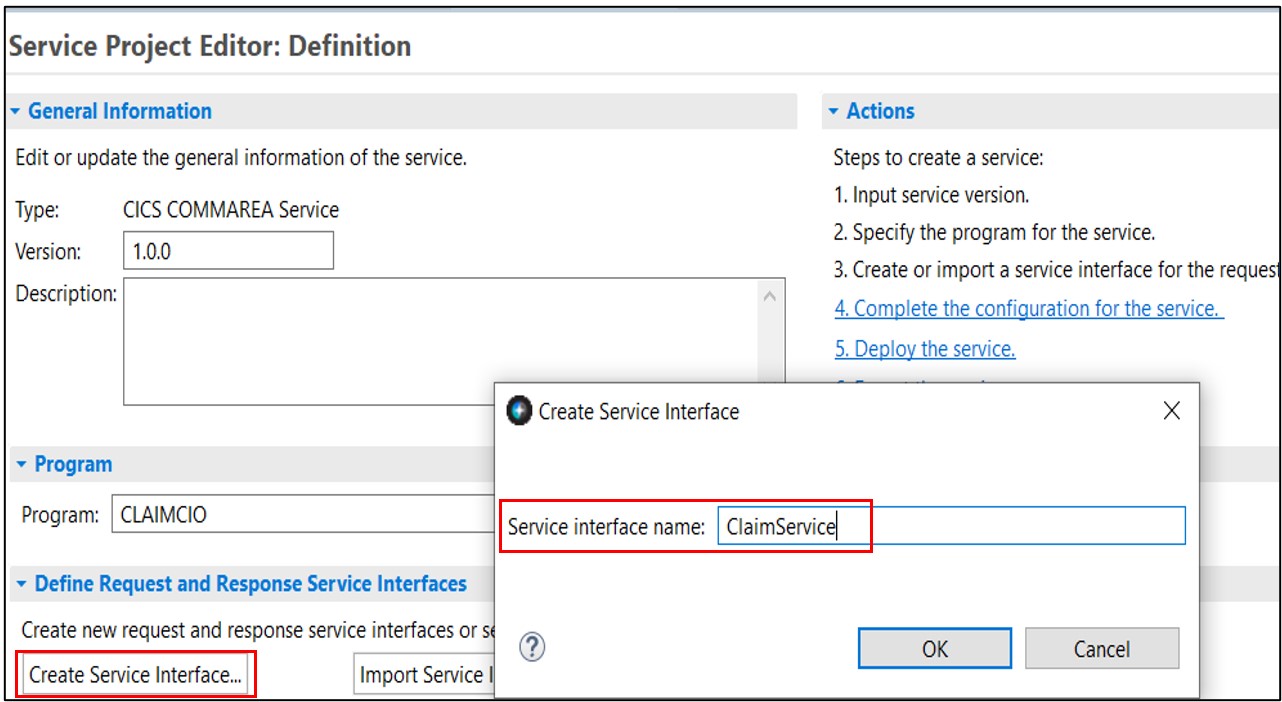
- Now, the user has created a new service interface file.
- In the Service Interface editor, click
 Import COBOL or PLI data
Structures into the service interface.
Import COBOL or PLI data
Structures into the service interface. 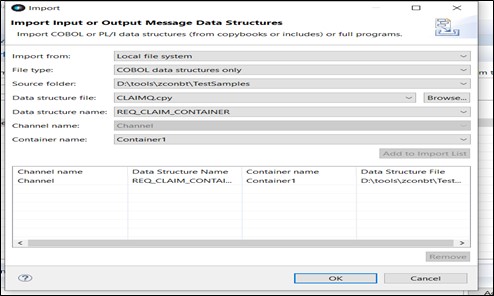
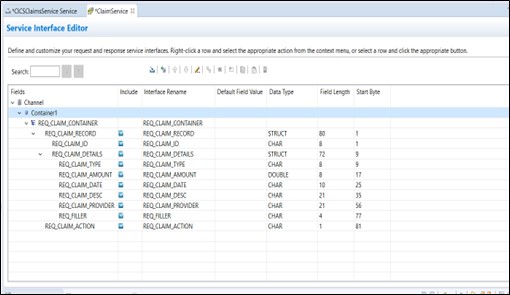 Note:
Note:- Copybook is the data structure supported on the host side. z/OS connect supports a copybook structure to transfer and retrieve the data to and from the mainframe.
- Since EGL-generated COBOL uses String datatype as a pointer, z/OS connect will not support such datatype. Hence, the string data type is ignored inside the EGL program while using z/OS connect.
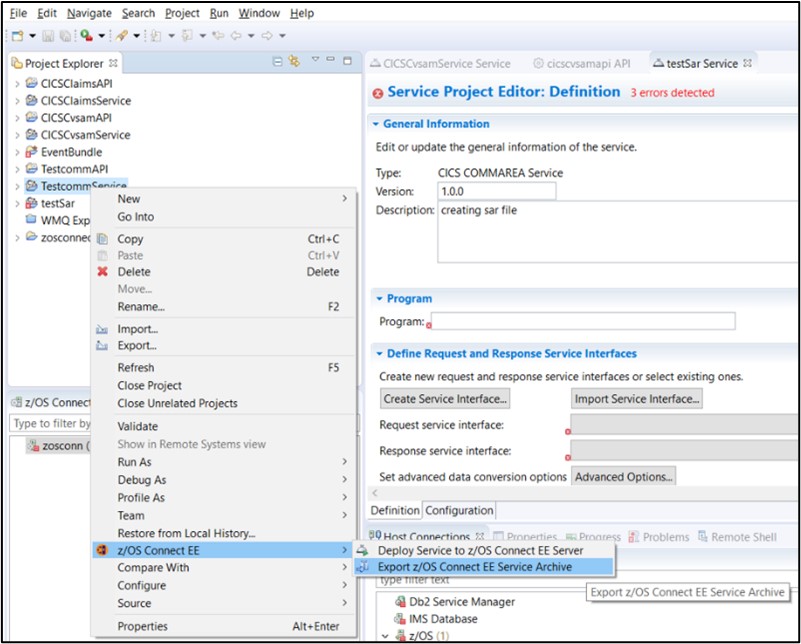
- Right-click on CICSClaimsService in the Project Explorer view.
- Navigate to z/OS Connect EEàExport z/OS Connect EE Service Archive.