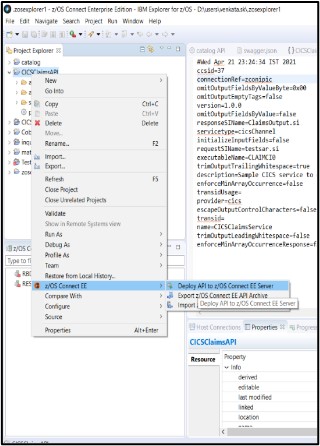
AAR File Creation
This topic provides the information required for AAR file creation with respect to IBD. For more detailed information on AAR File creation, refer to the IBM manual for z/OS Connect EE.
Steps for AAR file creation in z/OS Connect EE with respect to IBD:
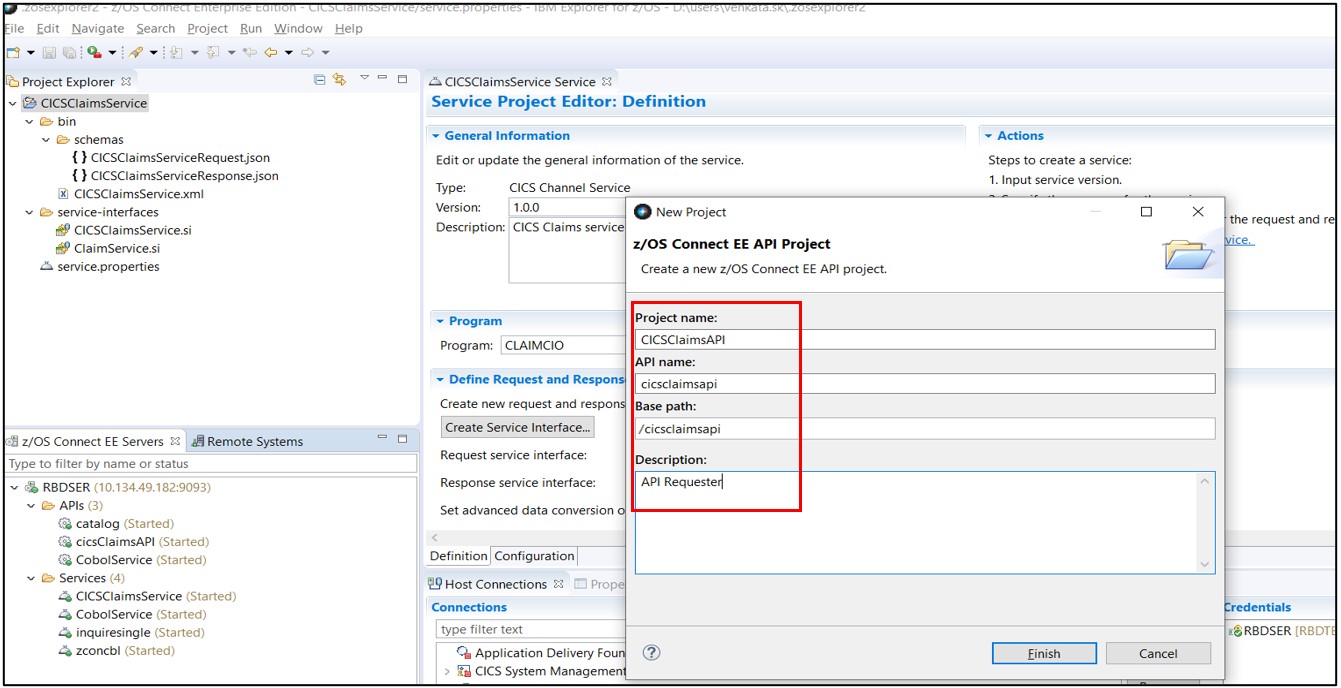
- Navigate to FileNewz/OS Connect EE API Project from the menu bar.
- Complete the sections for the new API project and click Finish.
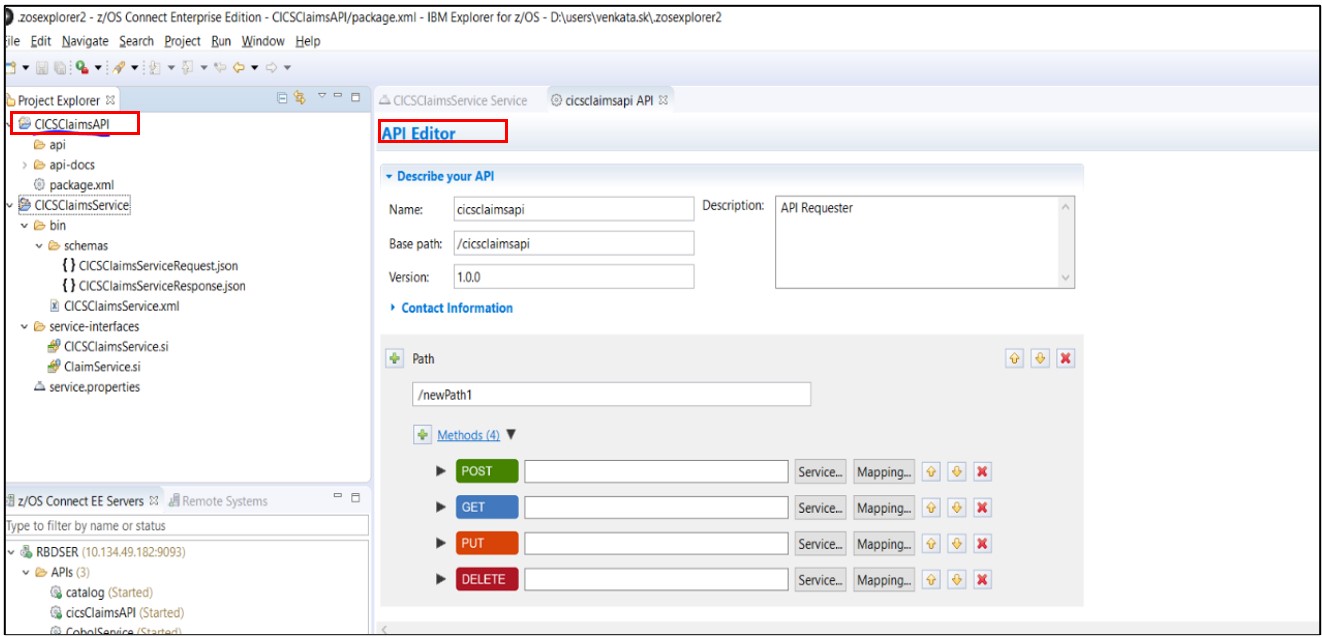
- The z/OS Connect EE API Editor opens.
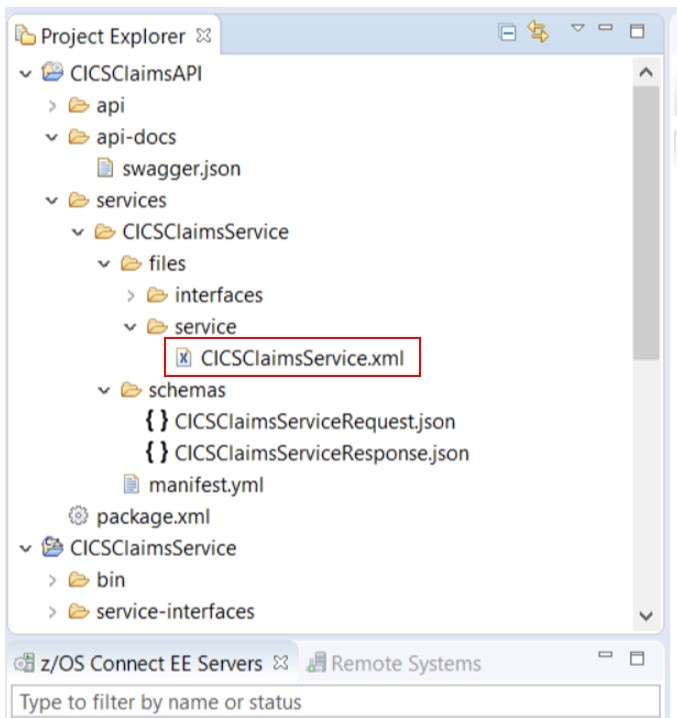
- Now, export the service archive files into CICSClaimsAPI project.Note:Refer to the IBM z/OS Connect Manual for more details to import SAR files into the AAR Project
- After successful import, the SAR file will get imported in the API project as shown
below.
- Map the Service and Mapping tabs for the method in the API Editor.
- Deploy the API project to the z/OS Connect EE Server using the
Deploy API option.