Cloud Enablement Settings
HATS setup includes the required JAR files for scaling in a HATS Web cloud
deployment. Users need to copy these JARs manually
from: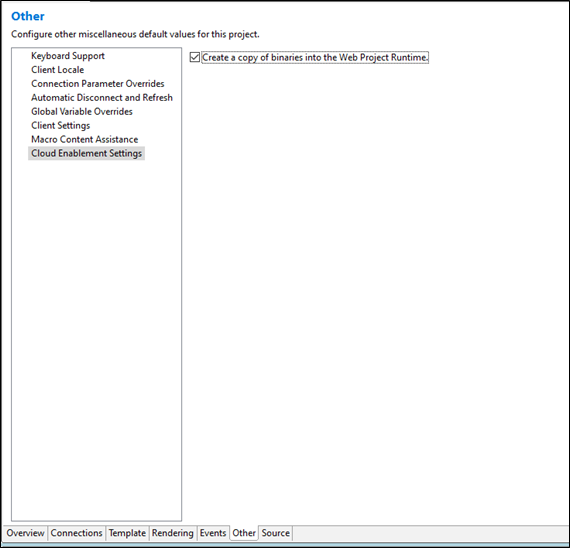
IBM\IMShared\plugins\com.ibm.hats.core_10.0.1000.XXXXXXXXX\lib\adminCloud to the Project EAR. To automate this, select the "Create a copy of binaries into the Web Project Runtime" checkbox, which will automatically copy the JARs.
Note:
- This is an optional feature used when building a HATS Web application with scaling enabled for cloud deployment.
- The changes will be reverted if users uncheck the "Create a copy of binaries into the Web Project Runtime" checkbox.
- If the HATS Web Application Server is running, it is recommended to stop the server before clearing this option. Otherwise, deletion failures may occur because the library is loaded in the classpath.
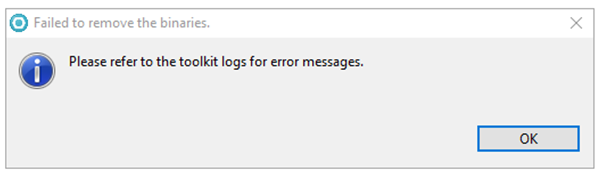
- If the user encounters issues while deleting the binaries/JAR files from the EAR
location, an error message will appear, as shown below.