A HATS 3270 example
Imagine you need to create a GUI for a 3270 host application. With HATS you have a choice of providing the GUI using a Web application (including portlets) or a rich client application.
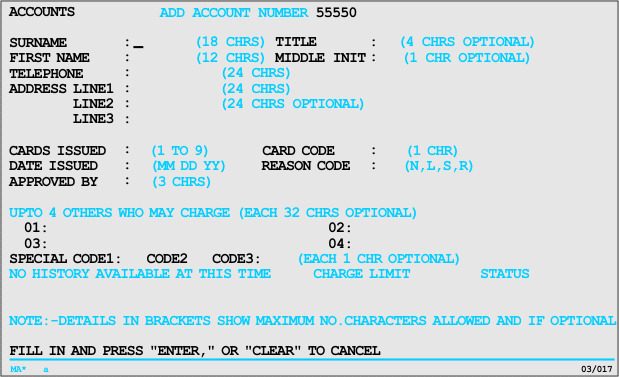
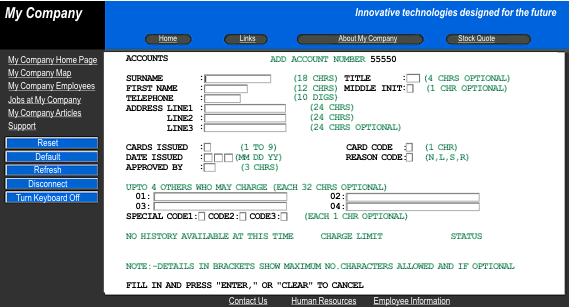
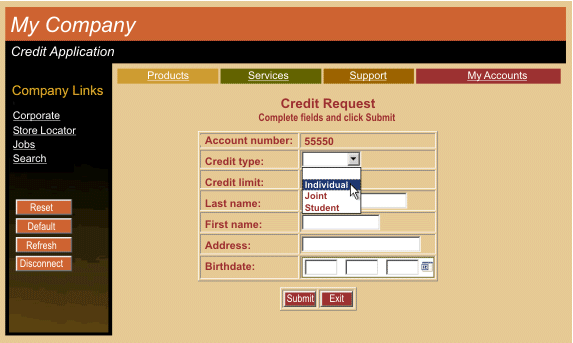
After a very short time, you have transformed the host screen into an attractive Web page that provides all the function of the host screen and more, and is accessible through a Web browser. You decided to switch to a template more suited to your business. You hid unnecessary information, and created a table to display only required input fields. You provided a drop-down list of valid values for an input field and use of a calendar widget for another input field. Finally, you changed the size and location of some of the text and provided navigation buttons.
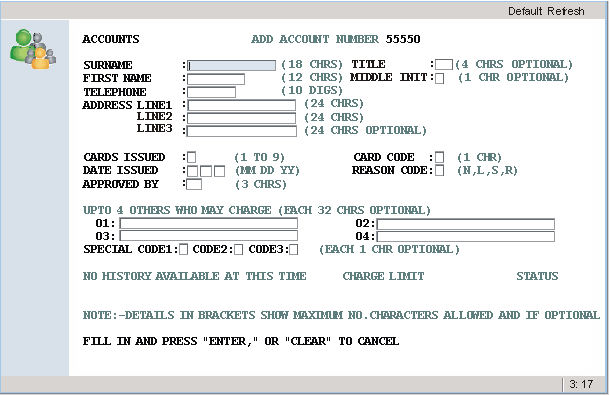
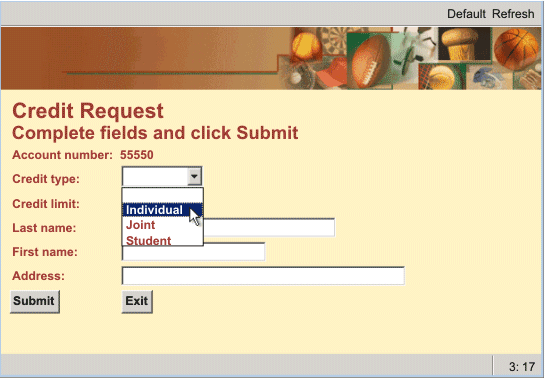
After a very short time, you have transformed the host screen into an attractive GUI that provides all the function of the host screen and more, and is accessible using a rich client application. You decided to switch to a template more suited to your business. You hid unnecessary information, and display only required input fields. You provided a drop-down list of valid values for an input field, changed the size and location of some of the text, and provided navigation buttons.
- Use HATS macro support to provide programmed navigation through multiple host screens. For example, you can take your users directly to the first screen that you want them to use, bypassing other screens. You can use macros or the screen combination function to combine data from several host screens into one HATS GUI page.
- Use business logic and global variables to integrate your host applications with other back-end systems in your enterprise, as well as with your business partners' systems.
- From HATS macros generate HATS Integration Objects, which are Java™ beans that encapsulate interactions with a host application, and use them to create Web pages, Web services support files, or RESTful service JAX-RS resources.
- Develop Enterprise JavaBeans™ components that use HATS Integration Objects to exchange data with host applications.
- Develop a HATS Web application with an interface that allows users to access your host system using mobile devices such as cellular phones, data collection terminals, and personal digital assistants (PDAs).
- Develop a HATS portlet, which complies with either the standard Java™ Portlet Specification (JSR 168 or JSR 286) API, and deploy it on WebSphere® Portal.