Accessing APIs (services)
You must first acquire an access token (JWT token) from Keycloak.
To obtain the token, you need the following details:
- client_Id – The client ID created in the Keycloak client section.
- username – The username you created in Keycloak.
- password – The password associated with the above username.
- grant_type – This will be a password
All above 4 parameters will need to be passed in the request body, and the content-type will be “x-www-form-urlencoded” in the below API as a POST request.
"token_endpoint": http://localhost:8180/realms/myrealm/protocol/openid-connect/token
Refer to Configuring Keycloak to get the correct token_endpoint for your realm.
Once Keycloak authenticates the request successfully, it will return a response as a JWT token as part of the access_token. Which you need to pass in your service endpoint header as the authorization parameter, whose value will start with “Bearer < access_token>”. Below are the screenshots for reference.
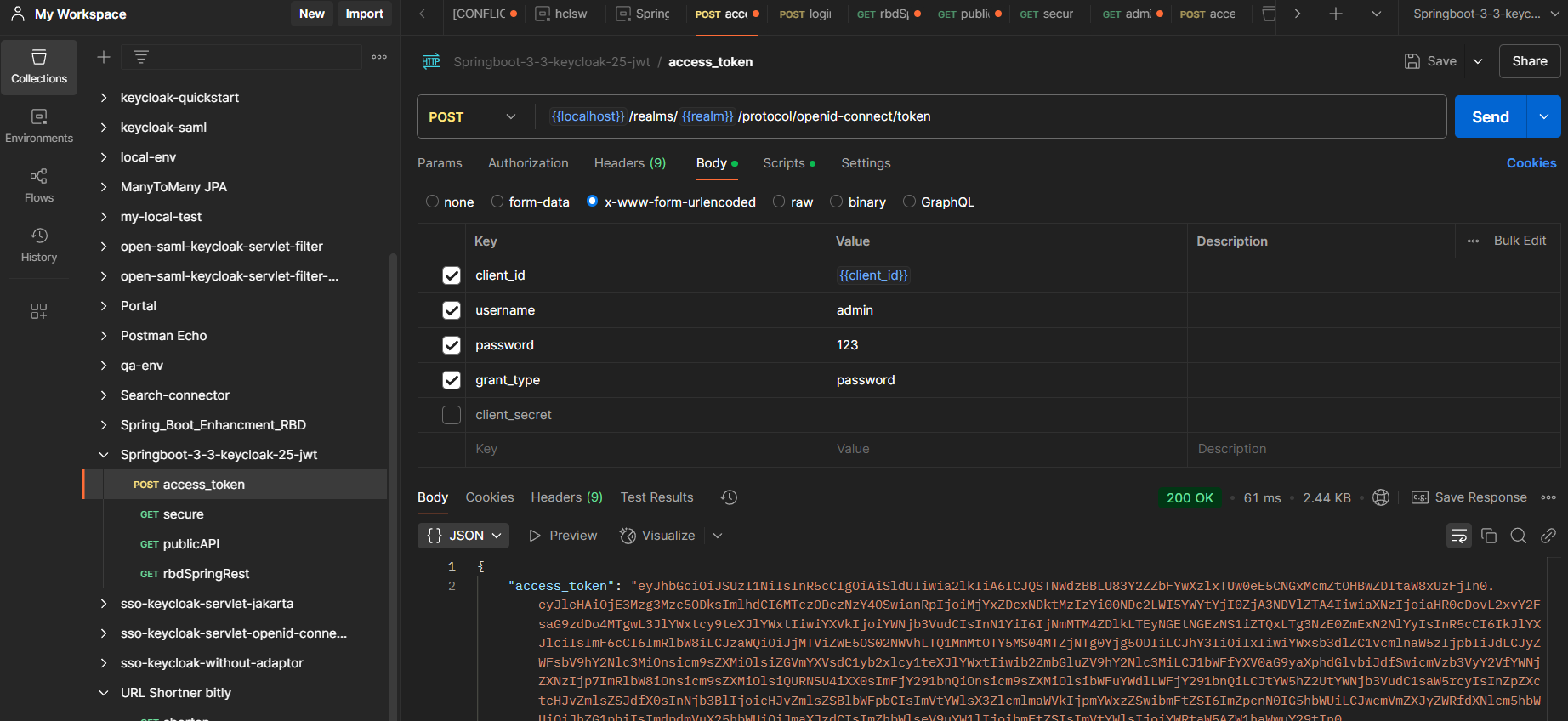
Token_endpoint call to access access_token
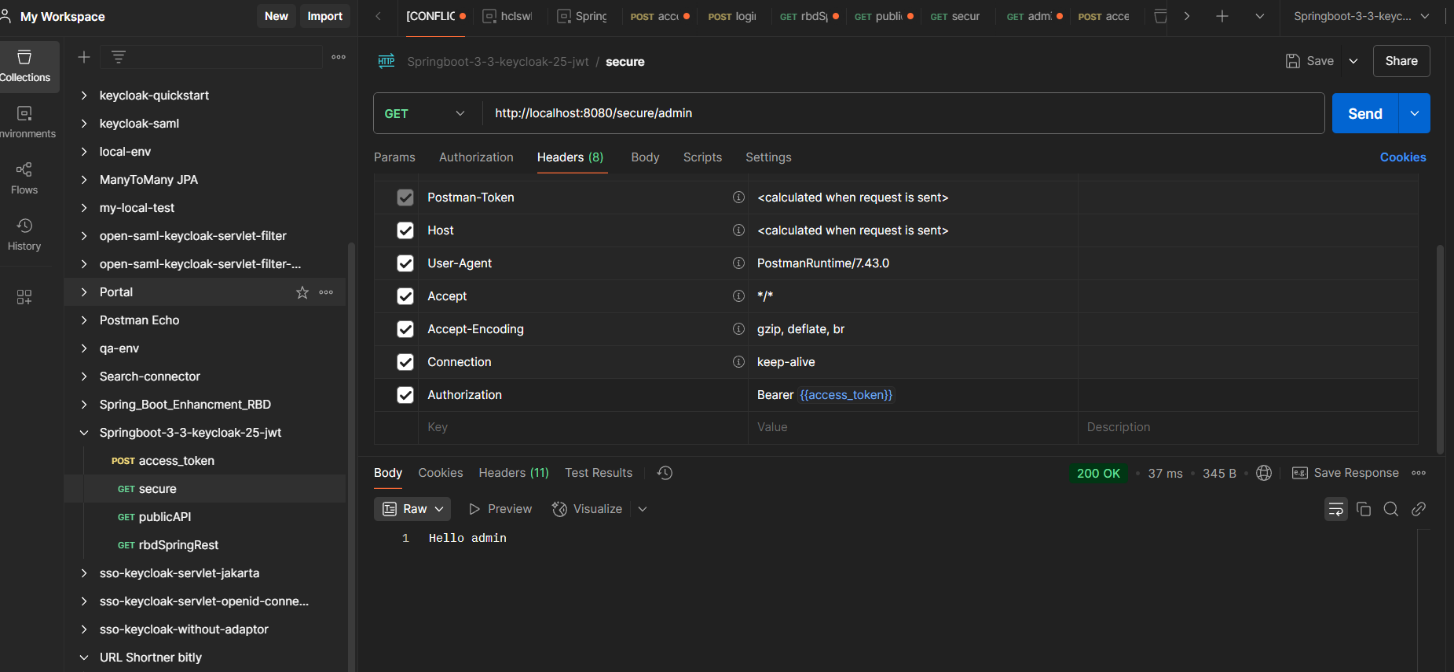
API/service call