Deleting by Command Flow ID
You can now delete CICS® IA command flow data from the CIU_CMDFLOW_DATA and CIU_CMDFLOW_INDEX Db2 tables by executing the CIUSPCFL stored procedure with the specified command flow ID.
You can now call the CIUSPCFL stored procedure either from the sample job SCIUSAMP.CICS(CIUDELSP) or through the CICS® IA plug-in.
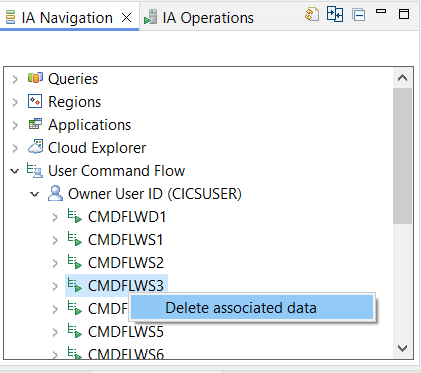
To delete the data using the CICS® IA plug-in, right-click the name of the command flow ID for which you want to delete data in the User Command Flow tree available in the IA Navigation window, then click Delete associated data.