Lesson 3: Set up the database connection
In this lesson, you will connect your project to the database that you imported in the previous lesson.
About this task
As explained in a previous lesson, WebSphere® Application Server uses database connection information in the EAR project. Tomcat uses database connection information in the web project. Thus, the database connection steps differ for each server.
Creating the connection
About this task
Procedure
-
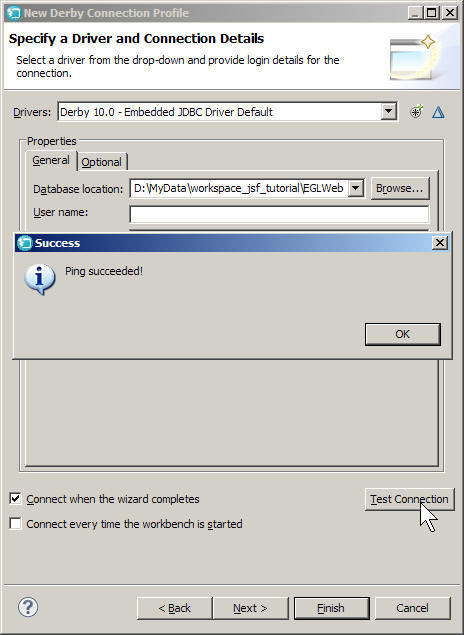
Click Test Connection.
If all information is correct, the New Connection window should look like the following example, with your own workspace and location information in the Database location field:
-
Click Finish.
The new connection is created and the necessary information for the connection is filled into the fields below:
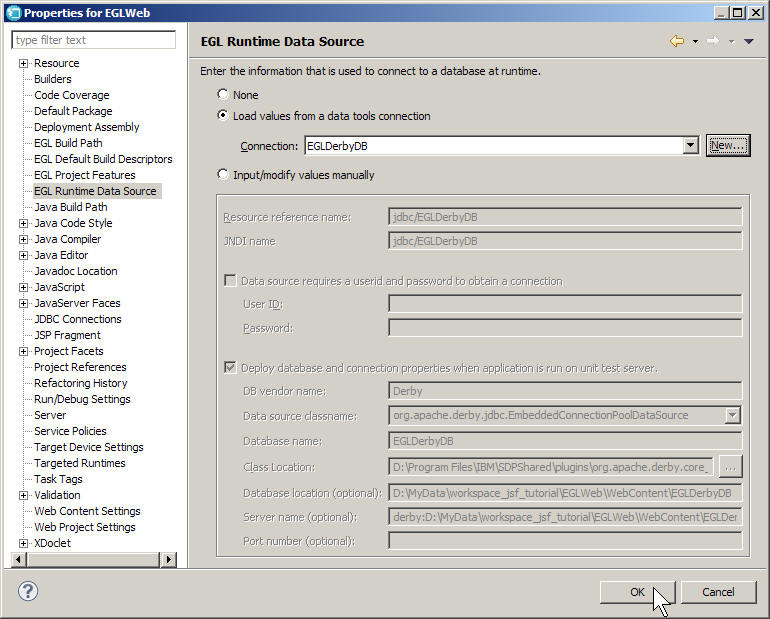
Note that EGL has given this connection a JNDI name, which is an identifier for the connection. By default, the JNDI name is
jdbc/EGLDerbyDB, based on the name of the database. The application will use this name to access the database connection at run time. -
Check to see that the EGL Runtime Data Source window has
set the build descriptor options based on the connection information.
The build descriptor options should look like this for WebSphere® Application Server:
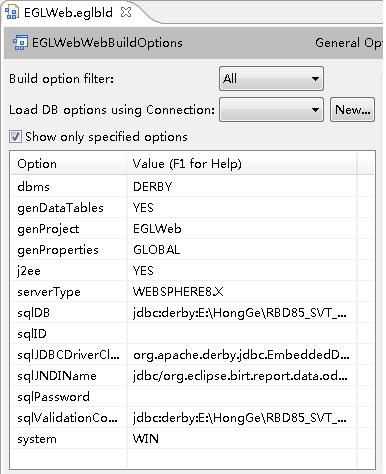
For the database connection to work, the following options need to be set:- dbms
- This build descriptor option indicates the type of database, in this case DERBY.
- sqlDB
- This build descriptor option indicates the connection URL,
or a string that the server uses to find the database. The format
of the connection URL differs for each type of database, but for Derby,
the format is the connection protocol (in this case JDBC), a colon
separator, the type of database (Derby), another colon separator,
the path to the database on disk, and any parameters for the connection.
In this case, the connection URL is something like the following example,
with the path to your database in place of
D:\MyData\workspace_jsf_tutorial:jdbc:derby:D:\MyData\workspace_jsf_tutorial\EGLWeb\WebContent\EGLDerbyDB - sqlValidationConnectionURL
- This build descriptor option sets a connection URL to be used to validate the connection to the database. In this case, as in most cases, this option is the same as sqlDB.
- sqlJDBCDriverClass
- This build descriptor option sets the name of the database
driver, the program used to access the database. The New Connection
window retrieved this name from the
derby.jarfile:org.apache.derby.jdbc.EmbeddedDriver. - sqlJNDIName
- The JNDI name that represents the connection at run time.
Lesson checkpoint
In this lesson, you set up a database connection for the project.
Procedure
- EGL set the values of certain database-related build descriptor options, as explained earlier in the lesson.
- EGL created a JNDI name to
use as a name for the connection. By default, the JNDI name created for your project
is
jdbc/EGLDerbyDB, based on the name of the database. - EGL added a resource reference to that JNDI name in the EGLWeb
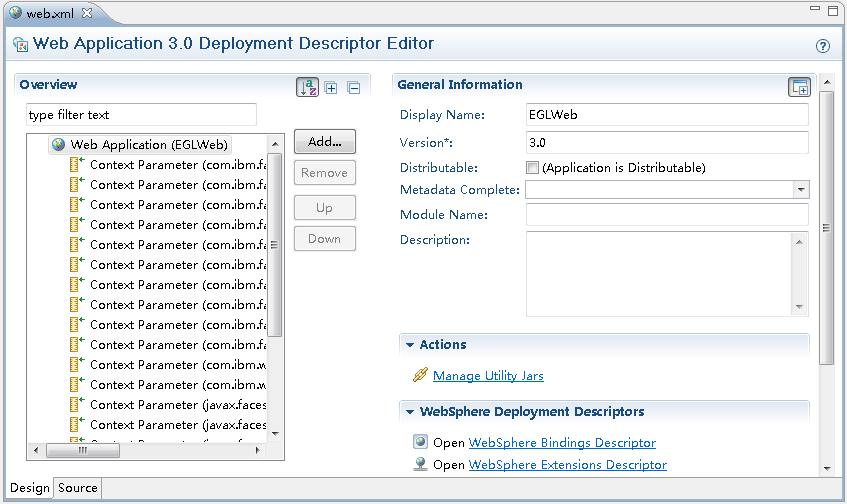
project's web deployment descriptor, WebContent\WEB-INF\web.xml. Now the EGLWeb project can use the data
source defined in the EAR project, using the JNDI name. The editor looks very
different depending on the version of the application server you use. The following
example shows the editor for WebSphere® Application Server Version 8.
If you are using Tomcat, your project doesn't have an EAR project, so EGL added a contexts file to the web project that gives the information for the connection. The contexts file performs essentially the same task as the information in the deployment descriptors: it associates the JNDI name with the location of the database and other information that the server needs to connect to it. The connection is valid only for this project.