Lesson 14: Deploy and test the mortgage application
During the deployment process, EGL creates HTML files and
server-specific code to match your target environment.
About this task
Deployment is a two stage process:
Internal deployment, when you deploy your handlers to a web project.
External deployment, when you deploy the web project to an application
server.
After you deploy the tutorial application internally,
you can run it on an application server in the workbench.
Edit the deployment descriptor
About this task
The EGL deployment descriptor manages the internal deployment
and is created automatically in each EGLSource folder.
The main handler is in the MortgageUIProject, and you use the EGL
deployment descriptor in the MortgageUIProject/EGLSource folder.
To
edit the EGL deployment descriptor:
Procedure
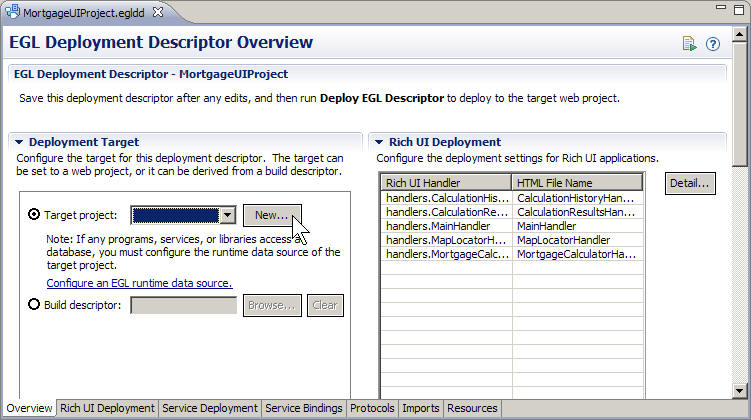
In the EGLSource folder, double-click
the MortgageUIProject.egldd file.
The
EGL deployment descriptor opens in the Deployment Descriptor editor.
EGL automatically added the embedded handlers to the list of Rich
UI Handlers to deploy.
Because you are using a dedicated service for one service,
and provided service-binding details in the code for another, you
do not need to add information to the Service Bindings
Configuration section.
The list is empty.
Under Deployment Target, next to
the Target project field, click New.
The Dynamic Web Project wizard opens.
In the Project Name field, enter
the following name:
MortgageWeb
Any
web project is acceptable. You are creating a simple one for the purposes
of this tutorial.
For the Target runtime, select one of the following options
from the list:
Apache Tomcat v6.0
WebSphere Application Server vn.n
The value of the Configuration field changes automatically to
match the new runtime environment.
If you are deploying to a WebSphere® Application Server runtime,
select Add project to an EAR, which is underneath EAR
membership. If you add the project to an EAR, accept the
default name that the wizard displays. For Apache Tomcat, ensure that
the Add project to an EAR check box is clear.
Click Finish.
EGL
creates the web project and re-displays the deployment descriptor.
Save and close the deployment descriptor.
Deploy the Rich UI application
About this task
After you set the target project in the deployment descriptor,
you can launch the deployment process:
Procedure
In the EGLSource folder, right-click
the MortgageUIProject.egldd file.
Click Deploy EGL Descriptor.
The deployment process requires no further action on your
part. The process copies many files and might take several minutes.
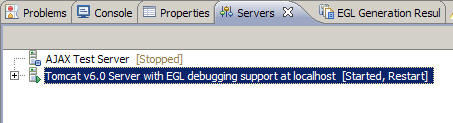
If the Tomcat server shows a status of Restart,
consider that statement a directive: restart the server by clicking
the green Start icon in the upper right of
the Servers view . Alternatively, you can right-click the server name and click Restart.
When the server has restarted, the status is Started,
Synchronized.
If the Tomcat server shows a status of Stopped,
start the server by clicking the green Start icon
in the upper right of the Servers view . Alternatively,
you can right-click the server name and click Start.
When the server has started, the status is Started,
Synchronized.
Run the generated code
Procedure
To run the internally deployed code, focus your attention
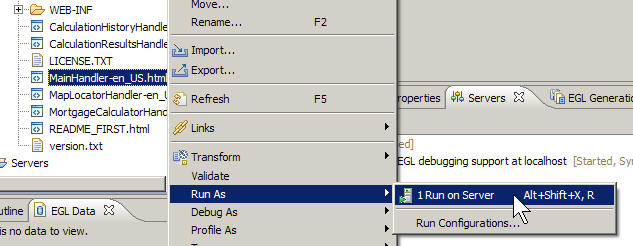
on the target project, MortgageWeb. In the MortgageWeb/WebContent folder,
find MainHandler-en_US.html.
Right-click the file name and click Run
As > Run on Server
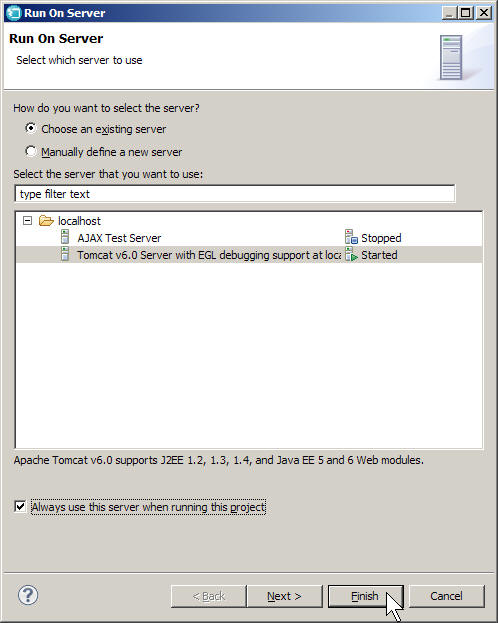
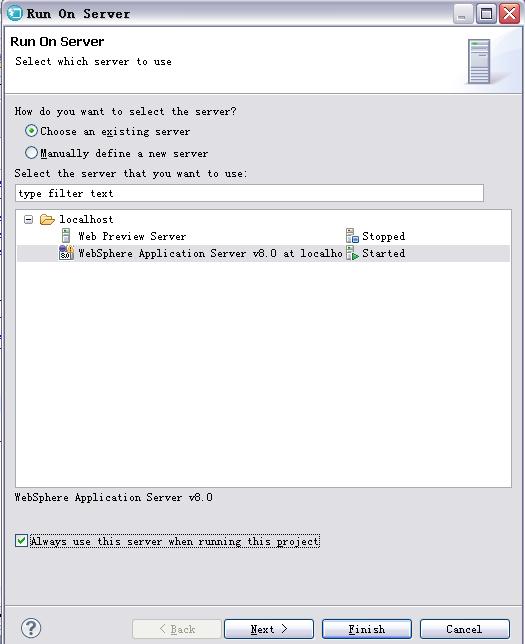
The Run
On Server window opens.
In the Run On Server window, select
the appropriate server and click Always use this server
when running this project. Click Finish.
If you are using Tomcat and see a page not found error
(404), check if the server is showing a Restart status. If so, restart
the server and refresh the page.
The page
opens.
Test the application by calculating mortgages that are
based on different rates, amounts, and terms. Verify that clicking
a row in the history portlet displays the appropriate information
in the results portlet. Change the zip code in the map portlet and
make sure the links cause the map to update.
Lesson checkpoint
About this task
You learned how to complete the following tasks:
Edit a deployment descriptor to deploy a Rich UI handler
 The Dynamic Web Project wizard opens.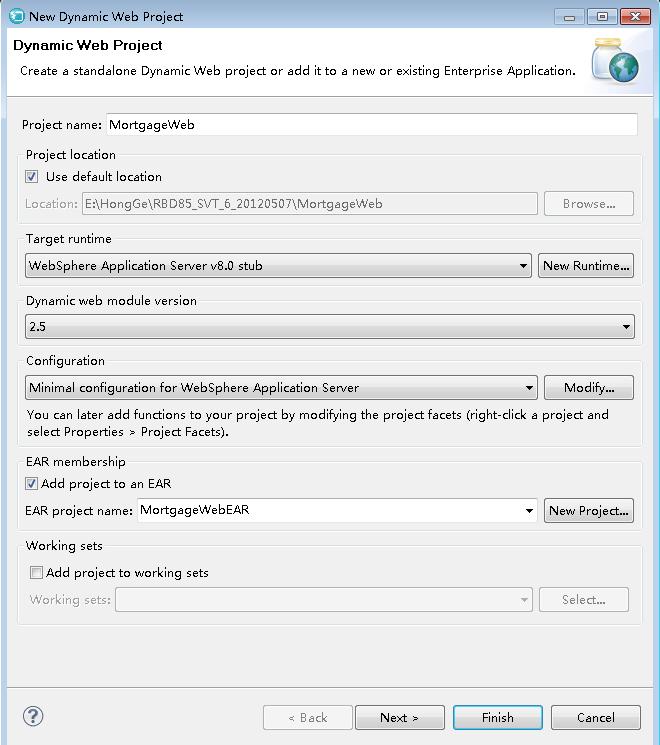
 . Alternatively, you can right-click the server name and click Restart.
 The page opens.