Lesson 9: Embed the calculation history handler in the application
To add the calculation history handler to your page, you must change the results portlet and the main portal.
About this task
Change the results portlet
Procedure
As of the end of the previous lesson, the CalculationResultsHandler
handler subscribes to a single event: mortgageApplication.mortgageCalculated.
When that event occurs, the handler updates and re-displays the pie
chart. However, the user might select a row in the history portlet
and cause a different event to be published: mortgageApplication.mortgageResultSelected.
If CalculationResultsHandler subscribes to that event, too, the handler
can respond to the user's selection in the same way, by updating
and re-displaying the pie chart.
The simplest way to subscribe to both events is to use the asterisk (*), which is a wildcard character that represents any event in a set of events. Do as follows:
Change the main portal
Procedure
For the history portlet, add lines that are similar to
the lines for the other two portlets:
Results
Test the portal
About this task
Procedure
- Click Calculate.An animated image indicates that work is in progress. When the calculation finishes, the pie chart and history are displayed.
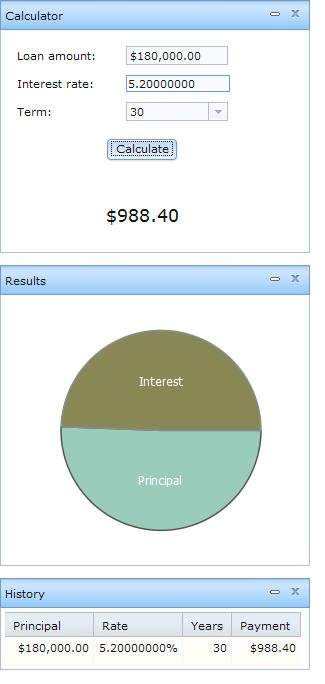
- Click a cell in the first row of the history list.
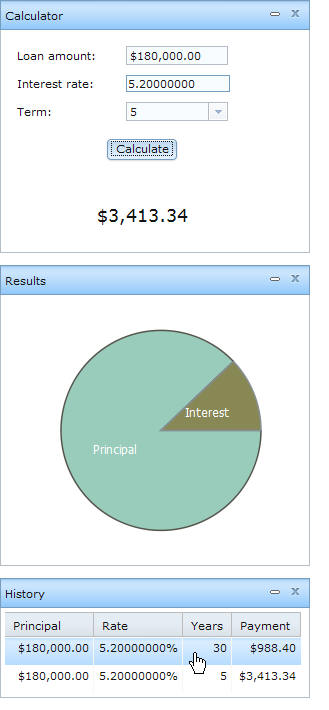
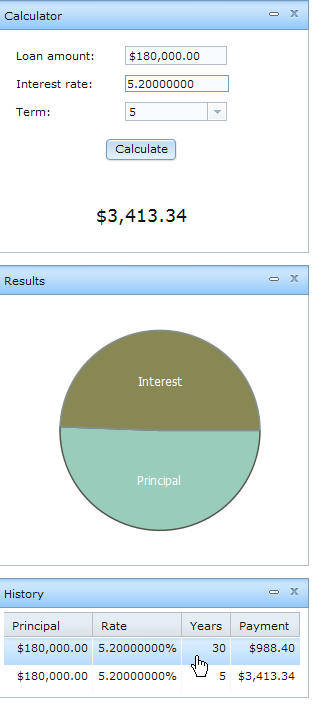
- The pie chart displays the values for the row selected
in the history list.
Lesson checkpoint
About this task
In the next lesson, you add a portlet to display a map of mortgage companies that are in a specified area of the United States.