Themes to use with your Rich UI application
Themes provide a consistent appearance for all the Dojo widgets in your Rich UI application.
You can specify either the Claro or Tundra theme. The default value is Claro. If you are coding an application that includes Dojo widgets, the Nihilo and Soria themes are also available, but that specification affects only the Dojo widgets. If a widget has no theme, the style is specific to the widget.
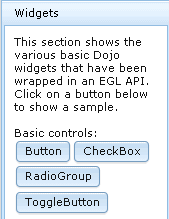
- Claro
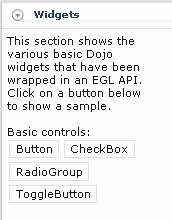
- Nihilo
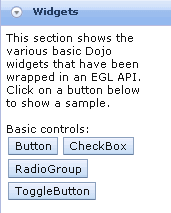
- Soria
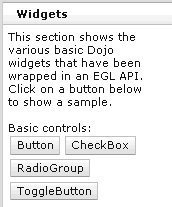
- Tundra
Defining the theme
To set a theme, code the theme property of the topmost Rich UI Handler part. This property defines the theme for the entire application.
- ruiLib.setTheme()
- ruiLib.getTheme()
- For Rich UI widgets:Code the appropriate import in the com.ibm.eg.rui_2.0.0.css file, which is in com.ibm.egl.rui_2.0.0/WebContent/css directory.
Where theme_name is the name of the desired theme. For example, if using the Claro theme, the statement would look like the following:@import url("theme_name/theme_name.css");@import url("claro/claro.css"); - For Dojo widgets:Code the appropriate set of two link statements in the includeDojo.html file, which is in com.ibm.eg.rui.dojo.runtime.<runtime>_1.5/WebContent/config.
Where theme_name is the name of the desired theme. For example, if using the Claro theme, code the following statements:<link href="dijit/themes/theme_name/theme_name.css" type="text/css" rel="stylesheet" media="screen" id="EGLDOJOTheme_CSS" /> <link href="dojox/grid/resources/theme_nameGrid.css" type="text/css" rel="stylesheet" media="screen" id="EGLDOJOGridTheme_CSS" /><link href="dijit/themes/claro/claro.css" type="text/css" rel="stylesheet" media="screen" id="EGLDOJOTheme_CSS" /> <link href="dojox/grid/resources/claroGrid.css" type="text/css" rel="stylesheet" media="screen" id="EGLDOJOGridTheme_CSS" />
For IBM Business Developer version 7.5.1, the theme was set on a widget or set of widgets by using the class property. You can still set the theme by using this method. If you use this method, the appropriate CSS files must be imported for the theme to be applied correctly