Step 1: Begin creating your Host On-Demand portlet.
The Host On-Demand Deployment Wizard allows you to create a portlet to be launched within a Portal Server page. Host On-Demand portlets are saved as Web Archive (WAR) files.
To begin creating your portlet on a Windows machine, take the following
steps:
- Open the Deployment Wizard:
- If you automatically installed the Deployment Wizard as part of the Windows Host On-Demand server, click Start > Programs > IBM Rational Host On-Demand > Administration > Deployment Wizard.
- If you installed the Deployment Wizard from the Host On-Demand DVD separately, click Start > Programs > IBM Rational Host On-Demand Deployment Wizard > Deployment Wizard.
- On the Welcome to the Deployment Wizard window (Welcome to
the Host On-Demand Deployment Wizard window), select either to create a new
file or edit an existing file. Click Next.
Figure 1. Welcome to the Host On-Demand Deployment Wizard window 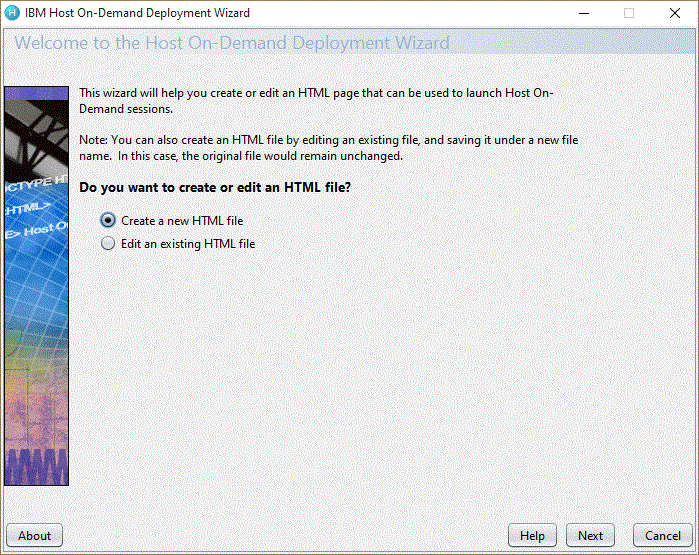
- If you are creating a new HTML file, select one of the following
three configuration models on the Configuration Model window (Configuration
Model window) and click Next:
- HTML-based model
- Configuration server-based model
- Combined model

If you are using the HTML-based or Combined models, you can create your HTML file as normal. However, if you are using the Configuration server-based model, you must configure the HTML file with additional steps. Refer to Web Express Logon using the Configuration server-based model for more information. Figure 2. Configuration Model window 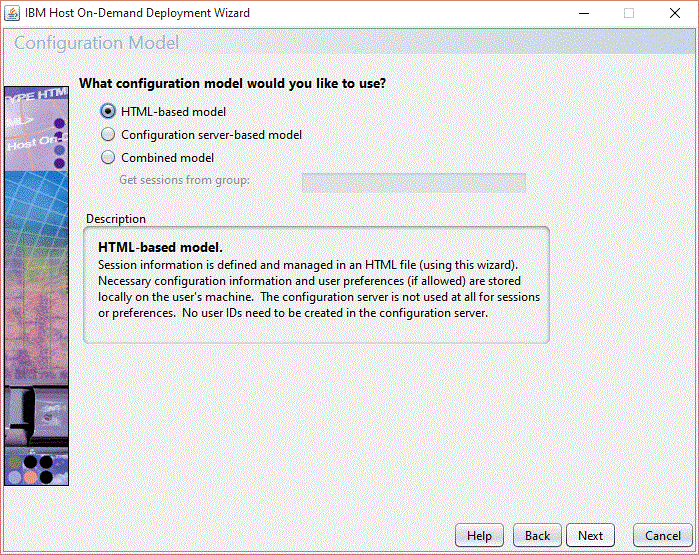
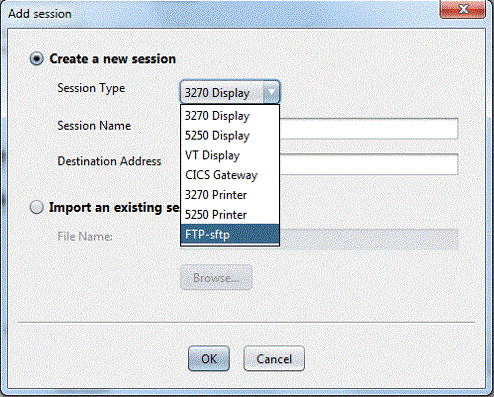
- On the Host Sessions window, click New/Import to open the Add
session window (Add session
window). This window
allows you either to create a new session (default) or import an existing
session. To create a new session, select a host type, enter a session
name, and a destination address. Click OK to return to the Host Sessions
window.
Figure 3. Add session window