Lesson 3: Create an EGL service client
The next step is to create a client project to use the service. While the client you create in this tutorial is in the same workspace, you can imagine that it is in a completely separate location or on a different platform. Since services and clients do not need to be written in the same code language, you can also imagine that this client application is written in a different language or is created with an entirely different set of tools.
About this task
Procedure
Create the client web page
About this task
Procedure
- In the EGL source file name field,
type this name:
ClientPageThe window looks like this: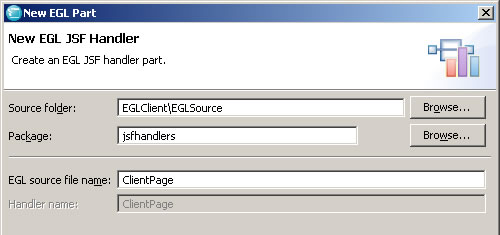
- Below the variables, add this function:
You will add code to this function later.function getHello() endThe JSF Handler looks like this: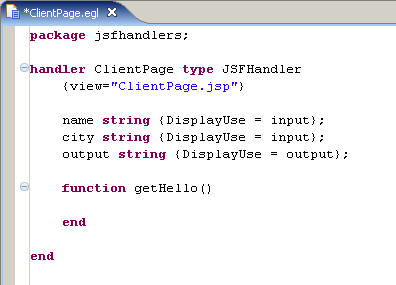
Results
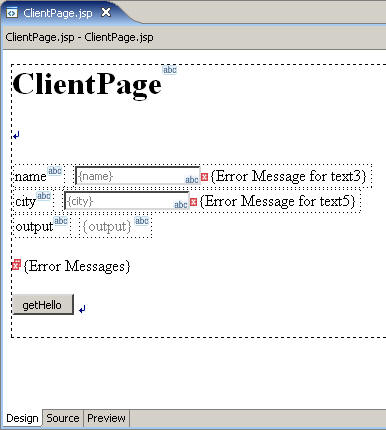
You now have a web page ready to use the web service. In the next lesson you will set up the project to act as a client for the service through this web page.