Using the Export Section to Export the EGL Dependency Graph
This topic describes the procedure for generating the EGL Dependency Graph using the Export Section.
Follow the below steps for generating an EGL Dependency Graph of a project:
- Navigate to FileExport.
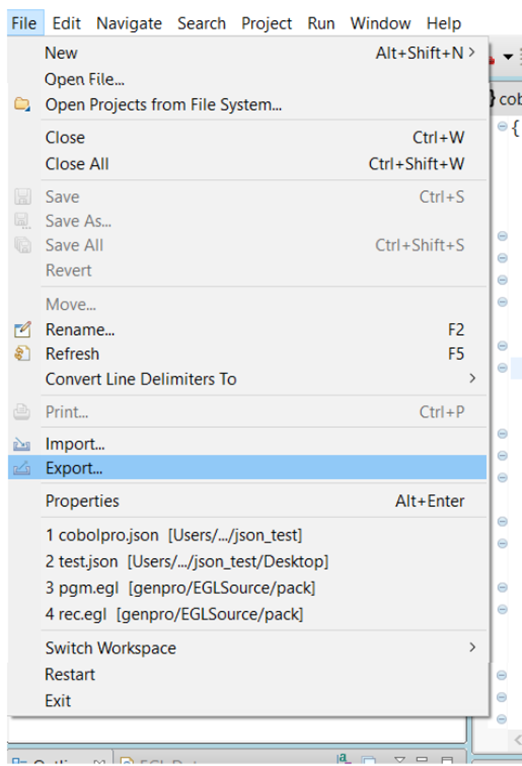
- The Export wizard will appear.
- Search for the EGL Dependency Graph using the search bar and select
it.
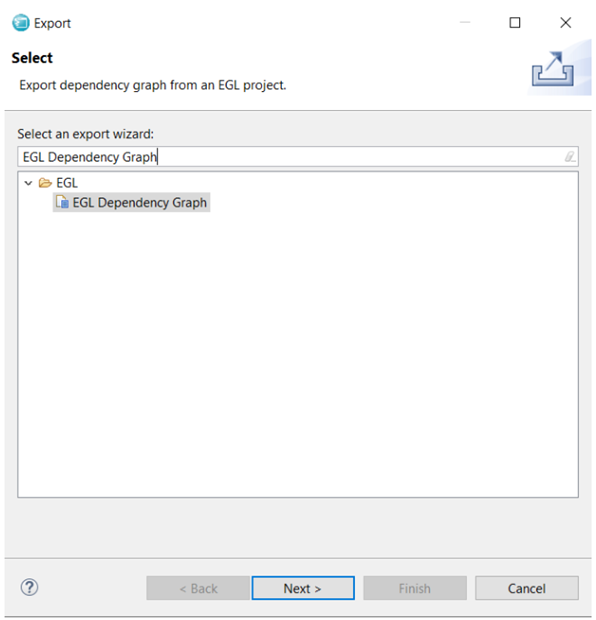
- Click Next.
- An EGL Dependency Graph Specification wizard will appear and select the required
projects.
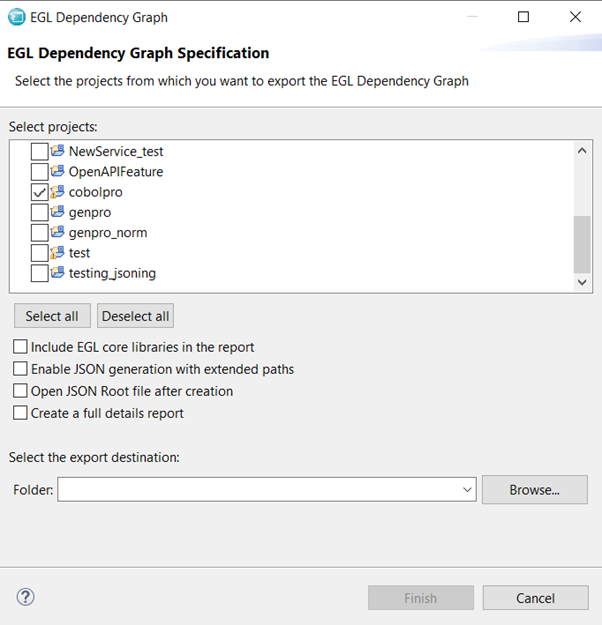 Note:Users can select or deselect all the projects using the Select all and Deselect all options, respectively.
 - Customize the output of the JSON files by using the export options.
- Browse and select the output destination folder.
- Click Finish. The JSON files will be created in the destination folder.