How does Host On-Demand work?
The following figure and explanation show how a Host On-Demand system works. Host On-Demand is a client/server system. Host On-Demand clients are Java applets that are downloaded from the Web server to a Web browser on a remote computer.
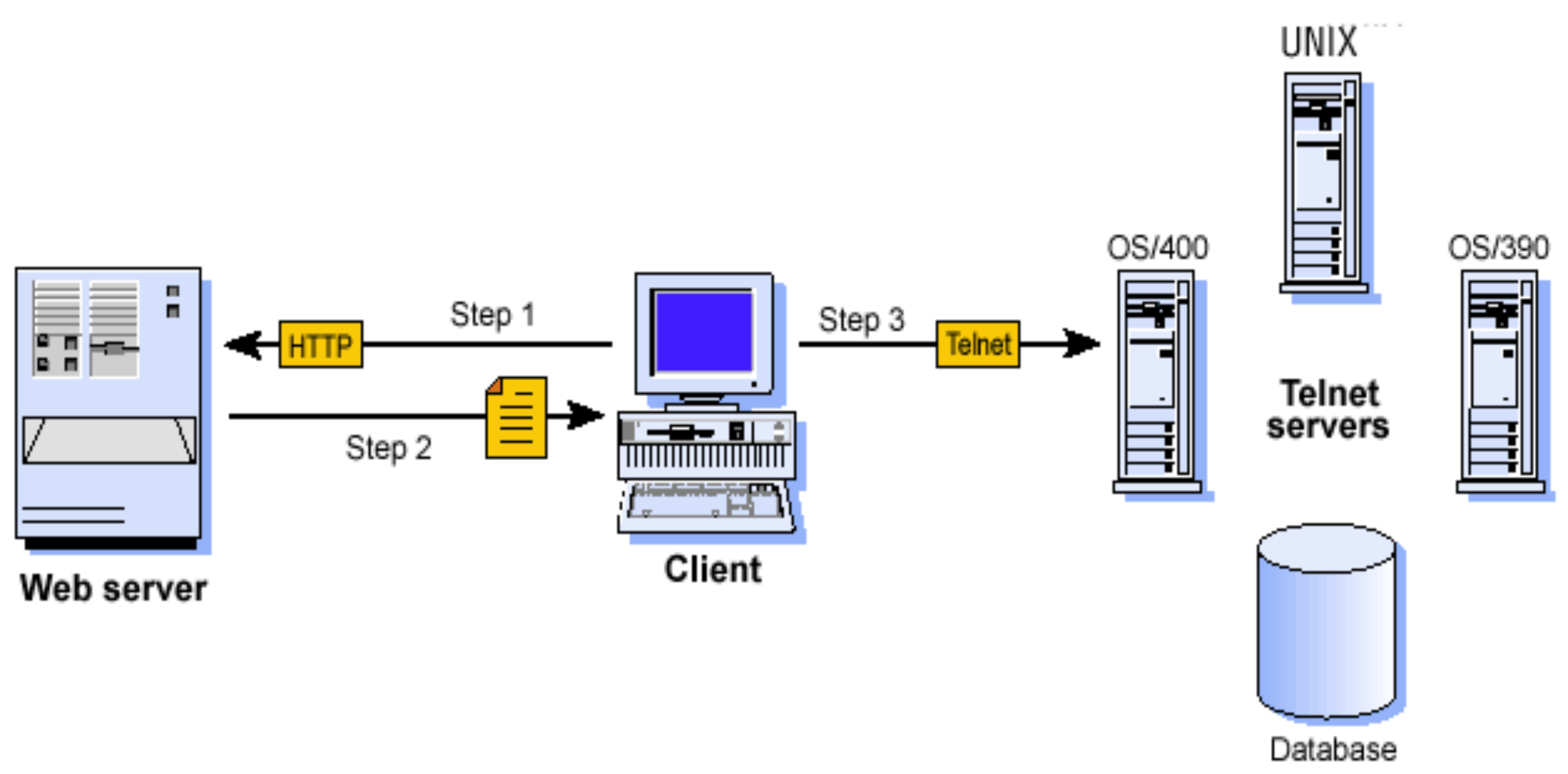
Step 1. The user opens a browser and clicks a hyperlink.
Step 2. Host On-Demand applet downloads to the client workstation.
Step 3. When the applet is downloaded, Host On-Demand connects directly to any Telnet server to access host applications.
Session information is configured in the HTML file or Host On-Demand configuration server. For more information about the configuration server, see Planning for deployment.
Host On-Demand client applets can be run as download clients, Web Start clients, or cached clients. Download clients are downloaded from the Web server every time they are used. Cached client and Web Start clients are downloaded from the Web server and stored on the client computer. After the initial download, the cached client is loaded from the local machine. The cached client checks the Host On-Demand server for new versions of the client and automatically downloads the updated version.
- The Deployment Wizard, a tool for creating emulator client HTML files. The Deployment Wizard enables administrators to quickly and easily build Host On-Demand HTML files that are customized for an organization's needs.
- Administration clients that can be used by system administrators to define common sessions, create users and groups, and perform other administrative tasks on the Host On-Demand server.
In addition, a number of predefined clients are also supplied with Host On-Demand to demonstrate Host On-Demand's client functions for users and administrators (for example, emulation, Database On-Demand, cached client removal, and problem determination utilities).